Posts
Beekeeping is rolling on this year. We took some time to spin out our modest harvest this year which yielded us nearly 50 pounds of wildflower honey. That's almost 4.5 gallons for our family, which should last a full year. We're very excited because we lost our hives last year and didn't expect to harvest anything this season. It really shows the benefit of maintaining frames with wax on them. Since the bees didn't have to build out comb from scratch, they were able to establish quickly and provide a honey crop for us.
I'm heading into the fall with three hives - two are quite strong and one still has a chance to toughen up before the season change. If they're still looking a little weak, I'll end up uniting it with one of the others to make it through winter and then do a split in the spring.

I got a call this week from a family friend who runs a ~15 acre farm south of us. He had a local beekeeper managing several hives on the farm as pollination service. In return, they paid a small rental fee and sold honey for him at the farm stand. According to the farm, they haven't been able to reach the keeper for almost two years. They've asked if I would be interested in taking over the management of the equipment moving forward.
This is a pretty big deal to me. The equipment is already in place, so I wouldn't have to invest too much in materials. There's always some maintenance and replacement to do, but it's not starting from scratch. There are about 8 living colonies right now with the potential to split those into 12 or 15 next season. They've been so neglectd, several of the boxes have been grown over by vines and weeds...so much that the bees have chewed through the boxes in places just to be able to get in and out.
Our little apiary at home gives us more than 50 pounds of honey annually. This would push us well into the hundreds of pounds of honey which means we can start selling almost immediately. I don't feel like I'm qualified enough to charge a rental, so I'm hoping we can work out an arrangement where they're willing to sell the honey with our farm sticker to build our own clientele as we try to expand. I'm planning on going over in the next couple of days to dig the hives out and see what's going on inside before making any long term commitment. But, on the face, this seems like a really good opportunity to not only get a lot more experience but also be able to expand much more quickly than we anticipated.
Meanwhile, the goldenrod will bloom and the bees will continue to gather and store away for the winter. Just a few more weeks before I close the boxes up for the last time in 2023 and wait til spring.
A goal of mine this year is to ride my bike more. I'm starting a new job that is bike-commutable, which is a big deal when you live in a rural area. I've been riding more just to get the kinks worked out of my joints (and the bike) and I decided it would be fun to keep track of my rides.
I created a Strava account yesterday before a ride after trying out a FOSS Android app that I couldn't quite figure out. Comparing the onboarding experince of a multi-million dollar company vs a single developer isn't really apples to apples, but it got me thinking about what I really need from a tracking app.
Ride discoverability is enticing, but living in a rural spot, there are plenty of roads to explore. I'm not really interested in maintaining another social network, so I don't think I would get too much into following people. Strava offers all of these extra features and it was easy to start, but I'm not planning on using those.
The effort of setting up the FOSS activity tracker takes more up front, but it does just what I want without the extra stuff. I think for me, taking more time to get a single-purpose app working builds buy-in because it's tailored for me without all the extra fluff.
Beekeeping stories keep on coming this month it seems.
During my inspection a little over a week ago, one of my boxes was out of space. Bees had begun storing nectar and pollen down in the brood nest, which leaves less space for the queen to lay eggs, which means a less productive hive overall. They had plenty of space above the brood chamber, but since we're after the summer solstice, they tend to not make much wax, even if conditions are good for building comb. So, the only option I had was to do a midsummer split.
The Honey Bee Research Center from the University of Guelph saves the day again. Their fantastic YouTube library has a video showing multiple methods for splitting. I don't have a queen handy, so I did a so-called "walkaway split," where I isolated the queen in the bottom box and moved some of the eggs, open larvae, and capped larvae up into an upper brood chamber. The bottom box got some empty frames of drawn comb to replace the ones I took out.
At dusk, nurse bees moved up into the top chamber to care for the developing bees. The next day, I took the top box off, which is essential its own colony now with the hope that after being queenless for 24 hours, they would build queen cells and begin rearing a new queen.
I'd never done this before so late in the season, but there are still plenty of drones around to mate with a potential queen, so I decided to go for it.
After four days, I checked the hive again and, much to my delight, there were three new queen cells with some very fat larvae that will develop into new queen bees.
When the queens emerge, one will kill the other two before going on her mating flight. If all goes well, I'll have a colony with a mated queen in the next two weeks. If all doesn't go well - she doesn't mate successfully, for instance - the colony can always be combined back with the original to get through the winter before trying a split again in the spring.
Today is my last day with my current school district. A little over eight years ago, I started mid-year, taking over a class that had been taught by substitutes since the beginning of the year. Since then, I've moved into instructional coaching and leading a team of instructional coaches who provide support for over 1,000 teachers and administrators.
I never considered this work as a possibility when I started. I've had a lot of trust given to me. I've learned how to work as part of an agile, effective team and that equipped me to lead the same team as people left over time.
But it's time to get back to the classroom. Next year, I'll be back in the chemistry classroom at the local high school.
There are several things that contributed to my decision this spring, but the main one is that my new school is local - just a five minute drive (or a 15 minute bike ride). I'm currently spending more than an hour and a half each day just driving...moving closer to home is going to drastically change my time.
A mentor has also encouraged me to get more time in the classroom. I taught for six years before moving to the coaching role which isn't nothing, but it's not quite enough to have the perspective I think I need to do true administrative work. I'm looking forward to re-learning how to put ideas in to practice. I'm looking forward to working with students every day. I'm excited about working with a dedicated team of local teachers who have a great culture of teaching and learning together. I'm looking forward to being part of the team teaching children who live next door and around the corner.
This degree has taken me a long time. I started in 2014 and thought I would get it finished right away. Life changes brought that to a stop, which included transferring out of the program and into another degree track with Ball State University. After two semesters, my work was put on hold again, and I wasn't sure I would ever finish a degree. Now, 10 years later, I'm finally reflecting on my learning and growth over my graduate work as a whole.
When people ask me what I'm studying, I struggle to answer. The Master of Arts in Education Technology (MAET) program at Michigan State University (MSU) is certainly focused on technology - every course touched on learning technologies in one way or another. But each course also went far beyond what its name suggests. In my time with the MAET program, I've explored not only the technologies of learning in various contexts, but the dispositions and competing forces - in both the public and private sectors - which influence the education technology landscape. The rigor of the MAET program helped me learn how to find, assimilate, and then synthesize ideas rooted in academic research as I work to apply technology-enhanced pedagogies in the classroom. Through completing my degree, I am able to articulate my own ideas about education rooted in evidence and then, more importantly, translate those ideas into practice with students and colleagues.

Foundations
All learning begins with a solid foundation. CEP 811, Adapting Innovative Technology to Education, was my first course since finishing my undergraduate degree. I was immediately introduced to the Technology, Pedagogy, and Content Knowledge (TPACK) framework which fundamentally altered the way I thought about technology in education. Prior to beginning my master's degree, technology was an add-on - something included in the lesson to solve a specific problem or provide a specific resource. I hadn't considered the impact that technology had on my pedagogy besides the fact that I was comfortable using it and could throw it into a given lesson without too much stress.
In CEP 811, I was asked to consider education technology (edtech) from a critical lens as it impacted other aspects of teaching. I had to come to grips with the fact that my technology domain was bloated when compared to pedagogy and content knowledge. At the time, I wasn't in a classroom, so I didn't have much of an opportunity to balance out my own skills. Awareness of this imbalance in myself was an eye-opening experience because it was one of the first times I'd confronted a clear area of improvement in my work and thinking about the work.

Beyond the coursework, the TPACK framework has played a major role in my career with teachers from a professional development and leadership perspective. TPACK provides a solid starting point for reflecting on teaching and how we make decisions. When I introduced the framework to colleagues in professional learning sessions, it helped facilitate a safe space to talk about self-improvement because teachers were able to identify specific domains of skill they already had and which ones they wanted to develop more. Even now, I refer to TPACK as a tool for staff development and it is a tool I continue to use as I reflect on my own work.
Leadership
Of all my coursework, I think about CEP 815, Technology and Leadership, the most. Dr. Rosenberg and Dr. Gleason created a course where leadership as it related to education technology was the focus instead of exploring the technology of leadership. We were pushed to identify our own leadership tendencies and then wrestle with the implications in our daily work. Dr. Gleason and Dr. Rosenberg used situation learning, role play, and case studies from outside the world of education to help us discover our own leadership potential and prepare a system of working in our own spheres of influence as leaders.
In 815, I was challenged by the high expectations for crafting arguments in writing. At times, I struggled to connect my thesis with the proposed solution. Dr. Gleason modeled effective, actionable feedback which helped me in scholarship, writing, and in communicating and executing ideas based on research. CEP 815 taught me to take a step back and consider the landscape before diving in. In my current role, I am primarily responsible for identifying opportunities for teacher growth and then creating and carrying out plans within the district vision. As a leader, it is critical that we consider the goals of the organization over our own aspirations, but the two do not have to be exclusive.
Given the rise of teacher-leaders in schools, it became clear how important home-grown leadership is for schools. Teachers carry a great deal of capacity for leading change and by building strong relationships between instructional and administrative staff, schools can build resiliency for change to meet challenges. I hope to continue to grow as a leader in different contexts as opportunities come along.
Deeper learning
During my student teaching, one of the first lessons my mentor taught me was the value in reflection. Since then, reflection is a normal part of my work and it has helped me develop a healthy balance of self-criticism and a drive to improve. CEP 800, Learning in School and Other Settings, asked me to consider what learning is as a process. I was surprised to realize that I'd only ever wrestled with the process of learning from a cognitive perspective; I was aware that learning had social influences, but had not taken time to consider what learning looks like as a developmental act.
Prior to CEP 800, my tendency was to focus on learning as a process of information processing from the individual perspective. However, learning as a result of relationship, whether in schools or somewhere else, is just as important to the cognitive processes, if not more. We are primed to learn from birth but the true power in learning isn't appreciated until we begin to learn together. "The smartest person in the room is the people in the room" felt more and more real to me as I explored and recognized social learning constructs I hadn't considered fully before.
My theory of learning as the final product of the course is the result of the wide range of topics from early cognitive science to modern social learning theory. This piece is my attempt to combine my years of experience in the classroom with research to serve as an evidence-based guiding document which details my own thinking about how and where learning happens. The implications for my instruction are embedded in the text as I related cognitive and social science to classroom practice. This is one of the items I'll revisit periodically as I continue to reflect on my professional practice.
Academics balanced with practice
Beyond the course content, my degree has taught me how to thoughtfully approach knowledge building. Taking academic writing and carefully reading over findings to build understanding is a skill that the MAET program teaches well. I feel like I am frequently walking the line between academics and academia: I am involved in the business of helping students learn and academia has insight and value in practice. But there is a danger for the practitioner in how much stock is placed in the process of research and writing opinions and commentary.
MAET had its share of academic reading and writing, but it was always through the lens of practice in the classroom. I never felt like I had to read and respond to a prompt as simply an exercise in discourse. My work in MAET courses was focused on classroom application, and I was challenged to synthesize ideas rooted in academic literature, lived examples, and my professional experience. All of my MAET courses stretched my thinking into different areas of practice and through well-designed prompts and consistent instructor feedback, I was able to assimilate ideas clearly both in writing and in action.
Participating in a graduate program requires a full commitment to the habits and practices of the academic community. In the middle of the semester, my thinking is dominated by jargon and it bled over into my work with teachers. The hardest part for me was to incorporate academics with practice in a way that would not alienate someone unfamiliar with the language of education theory. My place is in the classroom with students and my time in the MAET program equipped me with skills to not only continue to seek out ideas through scholarship but to also make those ideas approachable by colleagues and students as we work together in schools.
Enduring understanding
A mentor always challenges me to consider the "knowledge, skills, and dispositions" I want students to have as a result of taking my classes. The underlying idea for each of those is enduring understanding: what will they remember because they had me as a teacher? Some if it will be content - a few of my students have gone on into higher education and careers as scientists and that is part of my legacy as an educator. However, for the vast majority, that is not the next step. As a teacher, I am far more interested in how I help students develop life skills and positive dispositions toward themselves and others.
I am undoubtedly a better teacher because of my graduate work. I've been exposed to ideas I wouldn't have otherwise been asked to consider and incorporated leadership principles, technology philosophy, and instructional frameworks into my routines. I am able to clearly articulate my reasoning in speech and in writing and I can make rational, concise arguments when warranted.
The MAET program has helped me build my own knowledge in a variety of topics. There are several examples with the ones previously mentioned which stand out and have made me a better teacher. But like with my students, my enduring understandings are much more pronounced in the skills I've developed in research, interpretation, and application of ideas. I'm more aware of the larger education research world and how it can bring benefit to classroom teachers. I've developed a desire to want to follow threads of intuition and to confirm or deny those feelings with evidence whenever possible.
The best part about completing this graduate course is being able to look at the last 10 years of my education career and see a marked difference in my dispositions then when compared to my dispositions now. This process has been challenging, encouraging, frustrating, and rewarding (sometimes all at once). My hope, as I look forward, is to be able to continue to foster my curiosities and put my skills to work to build strong communities of learning
All artwork in this piece was drawn by me, digitally.
About a month ago, I was looking for some kind of catch-all fediverse app which would syndicate multiple places into one space.
Bonfire looks like an interesting solution, but at the moment, it's really built for teams rather than individuals. I wanted something that I could use to pull in multiple streams of information, kind of like a hyper-active RSS reader, but using ActivityPub as the protocol rather than just syndicating content in to a reader.
I'm a TweetDeck user form back before Twitter owned (and then kills) it, so I'm very comfortable with the column layout. I already use the Mastodon Advanced UI and I felt like this would be a good first shot at making something work.
Mastodon
I only have my home, local, and notifications timelines open. I follow several hashtags across the Mastodon space to my Home timeline. This is mainly for in-the-moment stuff and I'll scroll up and down periodically, but I don't try to catch everything.
On Twitter, I was really education focused. When I left, I had a chance to start over from scratch and now my Home feed is full of a much more diverse set of people from artists to programmers and everything in between. It's much more balanced and I didn't change a lot from how I used Twitter other than being more picky about what I follow.
The only other tip I would have for Mastodon is to follow hashtags in your Home timeline rather than adding columns. They blend in with other curated stuff and add variety.
Pixelfed
I have a Pixelfed account that I post to maybe once per month. I set it up when pixelfed.social went live and have just kind of sat on it. I'll browse it from time to time, but only on my phone.
If you don't care about posting pictures, you can still follow people posting on any Pixelfed instance by searching their @username@instance in your Mastodon search bar. You can even follow your Pixelfed account from your Mastodon account. So meta.
Once I figured this out, I really started to understand the power of Activity Pub as a connector.
Lemmy
This was the breakthrough moment for me. With the (impending?) death of Reddit as a usable space, I started poking around Lemmy instances. Frankly, I only used reddit for two things: beekeeping and DIY repair forums. I don't really care about the front page, just other people interested in the same niche stuff like thousands of insects who make honey and fixing your own stuff.
With most apps, you followed people. With Lemmy (and kbin), you can follow entire communities just the same way as with individuals. This is a big deal because now, I don't have to decided which Lemmy beekeeping community (lemmy.world/c/beekeeping vs lemmy.ml/c/beekeeping) to create an account in - I can follow, and interact, with both via ActivityPub.
Go back to the Mastodon search bar and instead of searching the Lemmy URL, look for the @-version of the community. So, lemmy.world/c/beekeeping becomes @beekeeping@lemmy.world. All of a sudden, I can now follow that entire forum from my Mastodon account. Lemmy posts come in as boosts and I can favorite to upvote or reply to post a reply to the original thread. You can even start a new thread by @-mentioning the community!
This is where the Advanced UI in Mastodon becomes important. I have to follow individual Lemmy threads, so they'll pop up in my Home timeline. But since I don't scroll too much, I might miss a post. To make sure I see all of the Lemmy content, I add those accounts to lists and then pin the list to my Mastodon dashboard.
Now, all in one place, I have my real time social media, some nice photos sprinkled in from around the world, and columns for discussion forums on topics I refer to frequently.
Other improvements?
If I were to do something different, I think I would want some kind of "workspace" view where I can pin different columns for different things. Maybe a Mastodon + Pixelfed workspace for hashtags I'm interested in, but no people I follow specifically. Or a workspace which combines the beekeeping hashtag from Mastodon, Pixelfed, and Lemmy all in one.
Right now, there's only the one view and it works better than I thought it would. As resources into the federated networks grow, I'm excited to see what kind of power-user tools become available.
Do you have other tips? Find me on Mastodon, @brianb@fosstodon.org, or send me an email.
I've been much more on top of my beekeeping chores this year than I was last year. This year's colonies are three wild swarms caught in the area (one from a friend who ran out of room, and two from my own property) and that generally means slower growth as they re-establish themselves in a new location.
Of the three, two were doing great. The brood patterns have been strong and the bees are foraging like mad. One even has two honey boxes on top because they were working so well after I put them into their permanent box. The third colony was a little slower than the others...they had a ton of nectar and pollen stored, but I wasn't seeing much brood.
Sometimes, when a swarm is relocated, the queen can be slow to start laying, so I didn't worry too much. This week, though, there was definitely serious trouble.
Queens lay fertilized eggs, which become female workers. Unfertilized eggs become male drones who are only around to mate with queens. They're big, fat, and don't contribute to the health of the hive. Dones are around to help diversify genes and not much else. There are always some drones around, but when I opened the hive this week, all I saw were drone cells, which is not a good sign.
Either I had a virgin queen who failed to mate (no fertilized eggs) or I had lost the queen somehow and the hive failed to raise a new one. In that situation, the last-ditch survival instinct of the colony is to have workers lay eggs. The problem is that these eggs are unfertilized, so all they produce is drones. A colony in this state will not survive.
The University of Guelph in Ontario, Canada, has a fantastic honey bee research center which produces videos on just about everything you would ever want to know. Sure enough, they have a video on how to handle laying worker hives.
I went to work and combined the dying colony with the second hive. It wasn't as close to the original location, so there was a little bit of a traffic jam as forages came back, so I threw an entrance reducer in place to help that colony manage the influx of bees.

Now that the dying colony has been united with a queenright colony, the pheremones of the living queen and her brood should shut down the laying workers and all should go back to normal. I'm in southwest Michigan, so I won't split them back out this year - they'll go into winter as a double brood setup, but I'll be able to do a split when the spring comes around and be ready to go next season.
Coming off my recent post on my changing goals ten years into my degree, now I want to take a look forward and set some learning goals for the coming years.
The last several years of my work have been with adults rather than students and has included significant time at the leadership level. Working as a conduit for leadership to the classroom, I've learned a lot about how to translate broad goal statements into actionable practices with students. At the same time, I've felt a growing tension in my own work because I don't have my own classroom in which to put the methods I'm teaching to work.
With that in mind, there are three areas in particular in which I would like to grow as a classroom teacher and as a teacher-leader: inclusive teaching practices, assessment and reporting, and systems for efficacy.
Inclusive teaching practices
"All means all" is a phrase our team uses to make sure we keep every student in mind as we prepare, execute, and reflect on instruction. Universal Design for Learning is a helpful framework for ensuring that instruction is accessible for all students from the way we prepare materials to our instruction in the classroom. My first goal is to use the Center for Applied Special Technology (CAST) framework for Universal Design when I'm preparing course materials. In particular, I'm going to focus on the representation domain.
I'm a science teacher by training, so much of my early work was focused on clear explanations of ideas with graphics to help students build mental models of abstract ideas. However, this is a limited mode of representation of ideas and may not be accessible for students, particularly those who speak limited English or struggle with auditory processing. By reflecting critically on ways in which I represent scientific ideas, I'm hoping my classroom instruction becomes more effective for more students.
In addition to content representation, I want to learn more about how to exhibit explicitly anti-racist teaching practices, particularly those described by Dr. Bettina Love. This is an area that will definitely strech me as I reconcile my implicit privilege and ways in which I make my classroom welcoming to all students.
Assessment and reporting
Flowing from making instruction more accessible by all students, I'm interested in developing more effective modes of assessment and ways in which we can report student progress. I've used standards-based (or standards-aligned) assessment and reporting for a long time and there is room for growth in how I collect data, provide feedback on learning targets, and then support students in their continued improvement. As I consider teaching in the classroom, I want to develop clear systems for students to track their own growth and improve communication between myself and parents as we work together to support their student.
Beyond the classroom, I'm interested in how schools as a whole can use agency over grade reporting to give an accurate - and holistic - view of education based on assessment. Beyond content skills reported in the classroom, what goals or skills does the school want to see students develop? How do we report that progress or support students in skill development? A very interesting project I came across recently is the Mastery Transcript Consortium which helps schools re-envision how they communicate student learning and that may be a good place to get some starter ideas.
Systems for efficacy
A good friend of mine is a doctor and he frequently laments the amount of time he spends in front of a computer. A majority of his interaction with patient care is following a quick check with the individual when he's reading lab results, interpreting the data, and then ordering next steps. The digitizing of processes has made the system more efficient at order and reporting tests but has made him feel less effective as a caregiver.
The education technology boom of the late aughts and early 10's has led to a similar situation - teachers and schools have more webistes, apps, and resources to track students but at the cost of engaged learning. We have put time and effort into systems that make us more efficient at measuring but, I would argue, less effective at creating lifelong learners.
I don't feel this goal is in conflict with the previous section, but rather a companion. I want to explore effective teaching strategies as paired with timely, actionable, and insightful moments of assessment which help students grow. In what ways can I structure my classroom so students can explore ideas as well as demonstrate their own understanding without falling into an endless series of assessments? Professional Learning Communities (PLC) are a structure which help teachers define curriculum and assessment collaboratively, which can help with some of this growth I'd like to achieve.
A unified approach
Each of these learning goals supports the other - an inclusive, accessible classroom provides students a safe space to engage with and explore new ideas. Assessing students for learning in ways which provide actionable feedback will be a main method of growth support. Using tools critically and responsibly will allow me to communicate critical information in a way which drives next steps. Removing any one area of growth will hinder another and I think the biggest challenge our of each of these three is finding the right balance.
I needed an unplugged activity to bring some non-technical creative balance to my life. I decided that sketching and watercolors were what I wanted to stretch myself with and I share pictures a lot of my Fosstodon account, but I don't post them here often.
Well, dear reader, today is your lucky day.
Clouds are hard to paint, as evidenced by one of my first attempts:
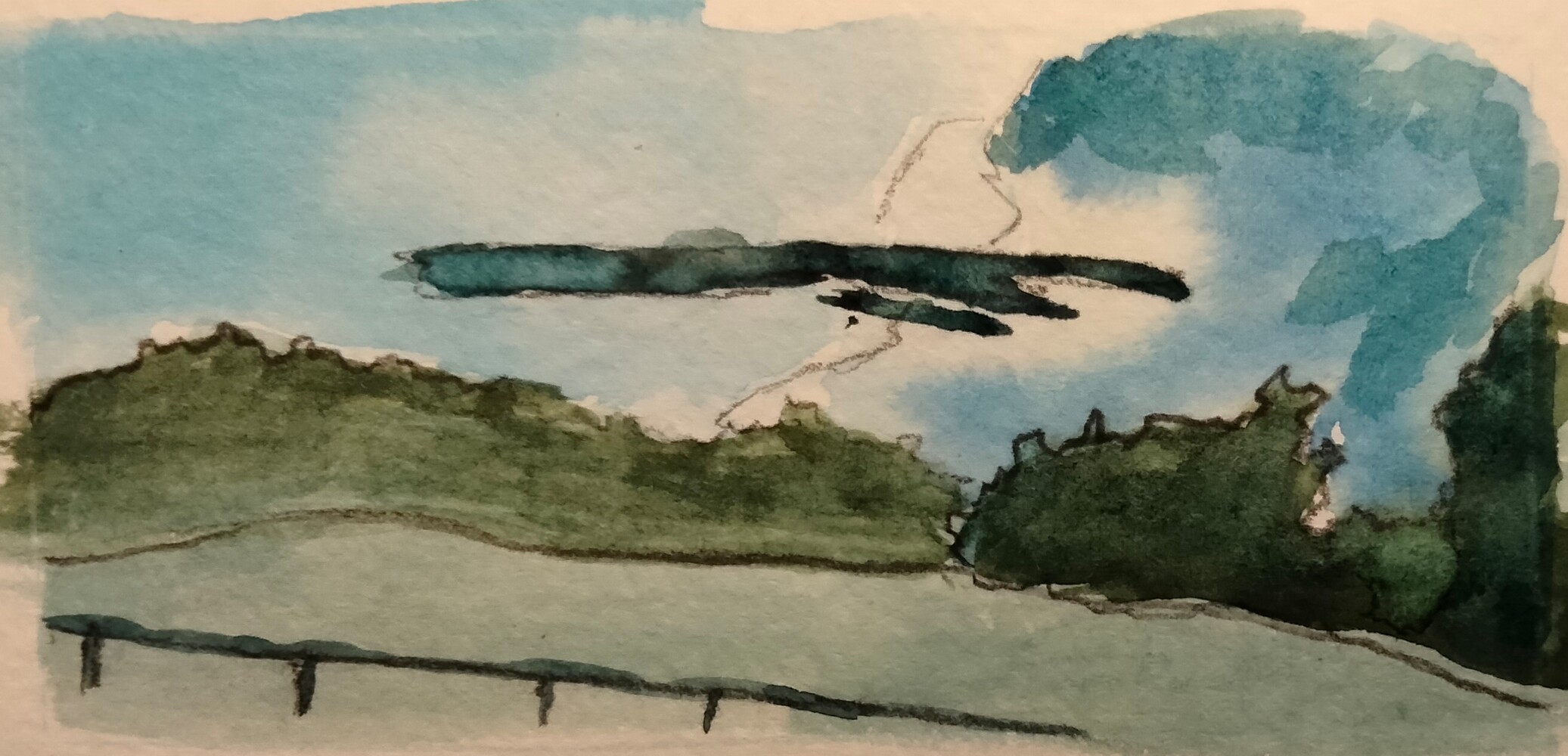
I've watched some videos and have done a couple more small attempts at clouds, particularly this seek when the high temperatures and super high humididity have created some impressive towers.
This week, I tried to capture a major storm a few miles north of the house:

I'm still not great at mixing color and using water to create the soft subtle edges on the clouds. I was frustrated with the muddiness of the painting on the left, so I came back inside and did the one on the right, which I'm much happier with.

I realized that much of what I'm trying to do is unnecessary - I'm trying to fill up too much space when what I need is to leave more untouched space and really only paint in the accents. The eye fills in the detail and I don't take advantage of that fact enough.
I've written about this on the work blog before, but never here. We're doing some course cleanup prepping for the fall and, at the same time, I'm finishing a graduate course on online learning, which is making me think much more deeply about how we build and implement courses for staff.
This week, we explored Michelle Pacansky-Brock's research into "humanizing" online education, in particular because of the spectrum of online learning that was done during (and post-) COVID. Online learning was around before COVID put a lot of people into the space for the first time, but the interest in how to make online learning more engaging and more relational has increased.
Most of our PD courses are hybrid - staff see a coach several times while completing a program - but there is a large portion we house in Canvas. We rely on the LMS to hold information organized into topics or ideas that participants explore over a period of time.

In each module, a participant has to submit evidence of application. In the past, this would trigger a visit with a coach to discuss their submission. But, what if this was a fully online program with no coach visit? How can we give participants timely, actionable feedback on their instruction without actually visiting their classroom?
I decided to focus on her concept of "warm, wise feedback" by adding some single-point rubrics to each of our evidence submission items to guide our participants' thinking and provde feedback which can humanize the online course.
The idea of a single-point rubric is simple: students receive feedback on what they did well to show their understanding or what they need to improve in order to demonstrate growth. The rubric does not have points attached - just a comment box. It provides a way for the coach to give targeted feedback on the core components of the task. The participant has a mental model for the kind of work they should exhibit by completing the task and they know they'll receive feedback on key components of the skill being explored.

Attaching these rubrics to the evidence submission page communicates what the participant should be able to do as a result of completing the module. Including the rubric gives them a chance to reflect on their work and pick the best evidence for the skill to share with the coach. The coach is then equipped to work with the teacher in specific, targeted ways to continue to improve.
I don't love that Canvas (or any LMS) still uses "judgy" language in the rubric - "Ratings" instead of "Feedback" - but by removing points or other indicators of "passing" or "failing," we're able to focus on the process of improvement.
While this is geared for adult learners, the same can easily be done for students. On your content standards, consider adding places for students to creatively demonstrate understanding, maybe with a choice board or open-ended response items. Using single-point rubrics to humanize the learning space reinforces that learning is a process and we go through the process together.
Resources
Gonzalez, J. (2015, Feb. 4). Meet the single point rubric. Cult of Pedagogy. https://www.cultofpedagogy.com/single-point-rubric/.
Pacansky-Brock, M. (2020). How to humanize your online class, version 2.0 [Infographic]. https://brocansky.com/humanizing/infographic2
I've been using HTMX for a couple years now and I'm still loving the patterns and interaciton it allows without relying on writing Javascript for everything. The developer experience is great and I can just write HTML and CSS templates to make everything work nicely.
HTMX works by sending AJAX requests and then dynamically inserting the responses into your page so it feels like a SPA without relying on weird Javascript syntax to make it all work. The server handles all of the requests and spits out HTML (which is the way things should work).
There are two other libraries I use to make things easier in development:
- The Flask-HTMX library makes it super easy to check if something is an AJAX request from HTMX or if it's a browser action.
- Jinja Partials by Michael Kennedy allows you to reuse small blocks of HTML, almost like a component library.
The problem that comes up has to do with browser refreshes - since most routes return partial HTML, a browser refresh on a particular route will return unstyled HTML. That's bad.
In order to prevent this, I came up with the following pattern:
example_template
```html
```
flask route
```python
@app.route('/example')
def example():
template = "example_template.html"
resp_data = {
"id": 1,
"name": Example 1,
"text": "This is some string text to render."
}
# Flask-HTMX creates a property on the request object if an HX-* header is present.
# If it is present, render the partial template directly and let HTMX insert it into the DOM.
if request.htmx:
    resp = render_template(template, **resp_data)
else:
    # If it is not present, render the partial template in a full-page wrapper to include all CSS and script tags again
    resp = render_template(
        "shared/layout_wrapper.html",
        partial=template,
        data=resp_data
    )

return resp
```
If a request comes from HTMX, then return the template partial as expected. If it's not from HTMX - in other words, a browser action of some sort - then wrap the response in a template and return the wrapped response. Here's the wrapper:
layout_wrapper.html
```html
{% extends '_layout.html' %}
{% block main_content %}
{{ render_partial(partial, **data) }}
{% endblock %}
```
This all works well and good, but now it means that my routes all have the if...else... block as part of the function. It's super repetitive and I felt like there had to be a better way.
Decorators
Since the response needs to be modified before rendering, flask.after_request() wouldn't work because there response already has the built HTML string. This solution uses a decorator to modify the response before returning the function results.
The Flask docs actually include a templating decorator example that got me most of the way there. Now, instead of using an if...else... inside the view, I can wrap any refreshable route with a decorator which will then return the appropriate response:
wrapper.py
```python
from functools import wraps
from flask import request, render_template
def templated(template=None):
def decorator(f):
@wraps(f)
def decorated_function(args, kwargs):
template_name = template
# Catch the data returned by the view
ctx = f(args, kwargs)
if request.htmx:
resp = render_template(template_name, ctx)
else:
resp = render_template(
"shared/layout_wrap.html",
partial=template_name,
data=ctx
)
return resp
return decorated_function
return decorator
```
flask route
```python
from wrappers import templated
@app.route('/example')
@templated(template="example_template.html")
def example():
resp_data = {
"id": 1,
"name": Example 1,
"text": "This is some string text to render."
}
return resp_data
```
Each route shrinks significantly. The added benefit is that the returned template is defined right at the top of the route and isn't dependent - in this view - on where the request came from, the right one is returned either way.
It's a small change, but the reusability of the decorator paired with the template patterns have made my code more consice and more readable in general. Plus, it's just cool to be able to make these quality of life improvements as I learn more.
I work a reduced schedule during the summer and one thing I constantly run into is not really knowing where to start when I come into work after several days off. It's often to a fullish inbox and several other items which need addressing. On top of that are the long-term projects and tasks which need some attention during the summer months.
The problem is I don't really want to wade through several dozen emails (ok, not always dozens, but they do pile up) or dive right into a project. It takes me a little warmup time to really feel like I can get into a flow at work, particularly when my working days are spaced out irregularly.
My best trick is to keep some no-thought tasks on my todo list. These are things like filling out my time sheets for the previous week's work or signing off on reimbursement receipts. They are tasks which just need to get done and take very little effort other than opening up the calendar or the expenses spreadsheet.
Once I do those things, my blood is flowing a little more freely and I'm able to put more mental energy into other tasks.
On a side note, I'm a fan of the Getting Things Done mentality for task management. There's a great CLI tool - todo.txt-cli which keeps a standard-formatted text file for tasks and completed projects. On top of that, I use a TUI called pter to interact with the tasks. The todo.txt-cli has great tools and a plugin system for creating extensions, but pter is super well-built, offers intuitive tooling, and has great documentation. I generally have a terminal window open with pter running and then I'll hop into the CLI to run some stats every now and then. Give those a try if you're looking for a lightweight, customizable todo system.
I happened to see a post about bleach, a text input santization library, deprecated in January. I have a couple of apps which use this library to strip out HTML tags which can be used to do mean things and I needed to make some updates.
Luckily, there's a new project, nh3 which made this super painless. It's a Python wrapper for a Rust library which performs the same task super easily.
I wasn't actually using bleach in my projects - I was using bleach_extras which allowed me to strip the content within the tags, not just the tags themselves. nh3 provides this out of the box. Here's what the original function looked like:
```python
import bleach_extras
string = "
This is a