Posts
Last year, I took some time to write a small blog theme for Anchor CMS using some PHP and a lot of CSS. Too much, if you ask me. If I had the time, I’d go back and clean a lot of it up. Maybe during a rainy day.
I haven’t logged into GitHub in a while. Teaching has been all consuming lately and I’ve not really had time to mess around with some coding projects I’d started so long ago. I hopped on tonight to grab some code for something else I’ve been working on, and alas, a problem with my theme.
Someone, somewhere thought my theme was good enough to use, which is pretty cool. But, some of the functions weren’t working correctly, and some were just plain missing (oops). I’d made a mistake somewhere in my cloning and rebasing, and I hadn’t taken the time to make sure I didn’t flub something up along the way. Anyways, long story short, he grabbed some code from my live demo site and got it working. But still. Customer support is our number one priority.
Here’s what I started with:
broke
function twitter_account() {
    return Config::get('meta.twitter');
}

function twitter_url() {
    return 'http://www.twitter.com/' . twitter_account();
}
The idea was to have someone create some metadata (twitter_account) once and then have it populate a link to their Twitter page as well as be the attribution info on any of the tweet links on posts. Easy enough, right? Wrong. The account function wasn’t returning the correct URL because I done messed up my PHP call. It should have been this:
fixed
function twitter_account() {
    return Config::get('meta.twitter');
}

function twitter_url() {
    return 'http://www.twitter.com/' . site_meta('twitter_account');
}
I’d forgotten that the twitter_account meta field only stores the data object. I have to tell the second function that there is some site metadata stored in the twitter_account call, not just the function itself. Oops.
All’s well now and it’s working fine, from what I can tell. Iteration is the game. Back to the workshop…
A post caught my attention the other day and I'm usually not one to write response pieces, but I can't stop thinking about this.
This post is about why I quit teaching nearly two years ago, and why that was a good decision.
My Story
I was teaching in a charter school two years ago. My wife and I moved back to South Bend after living in Evansville, Ind. Moving back to South Bend was difficult because neither of us had work nor a place to live. I managed to land an interview pretty quickly at the school which was founded two years prior to provide a mix of academic and vocational training for students. We ran an alternative schedule, which modeled the “business day,” so staff and students were in session from 8AM to 5PM each day. There were nine class hours, plus an advisory. I taught seven of those nine first semester.
I was working my tail off. In addition, the school was dysfunctional. We didn't have completed schedules for students until the second week of school. We ran study halls for an entire week from day one. We had staff meetings with yelling and blame games. I tried to remind myself that it was a brand new school and that things would turn around.
As we continued through the year, I became more involved in integrating tech into instruction. I led some PD on flipping and using Google apps to extend the type of work being done. I felt good about taking on some of these things because people were interested. As we went into the Christmas break, I was talking with my administrators about consolidating some of my classes (one class had eight students) and splitting my time between staff development and teaching.
I got back from Christmas break with the same class load, PD responsibilities, and students missing schedules. I was asked to support people during one of my plans and co-teach my last science class with one of the middle school teachers. My students were confused, I was stressed, and the other teacher was caught in the middle of trying to set up new procedures.
Our staff meetings also began to focus on creating vertically-aligned tests. We spent time in the departments looking at what we taught and writing up exams to make sure students were progressing. I started asking questions about the use of the tests and it eventually came out that we'd be taking three days at the beginning and end of each semester to test. The results would also be used in determining our evaluation scores and our pay.
I left on March 1st.
Teaching as Vocation
I've written at length about the unique struggle teachers go through when it comes to our work. Our community is close. Our bonds are tight. When someone leaves teaching, it's a big deal.
Unfortunately, it's too big of a deal.
I was 100% unhappy with teaching. I couldn't stand to face my administrators or my colleagues. I was unhappy at home. I was frustrated and felt like I'd had a bait-and-switch pulled on me. My students were not getting the best of who I was as a teacher.
What it came down to was that it would be better for their progress and my personal health to step out of the classroom.
Yet, I still felt like a teacher.
Therein lies the problem: if you're a teacher, that's all you can do. And if you leave, you're a bad teacher.
Posts like this where being a good teacher is based on grit and toughing it out, or that in leaving:
“[w]e teach [students] that when things get hard, and when we don't agree with something, then just quit and find something else.”
It's a lie, and it's something that our culture of education perpetuates. As someone who has walked away at one point, believing this lie hindered me for months.
What ends up happening in a system where people are afraid to leave because of community pressure is you have a lot of unhappy teachers. Students see teachers going through motions – shells of what good teachers looks like.
I'm sure I'm not the only one who has left for similar reasons, but I do know that I was terrified to let people know I was leaving.
Please, if you know of or hear about someone stepping out of the classroom, don't say things like, “I never thought you'd leave,” or, “You're the last person I expected to quit.” I know they were well meaning and it was meant to be a compliment, but I can say from experience that it doesn't come off that way. I felt like I was betraying a community, and it was difficult to maintain relationships from my point of view. Leaving was one of the hardest decisions I ever had to make, but it's one – given the same situation – I'd make again.
_Doorknob is creative commons licensed ( BY-NC-SA ) flickr photo shared by rachel a. k.
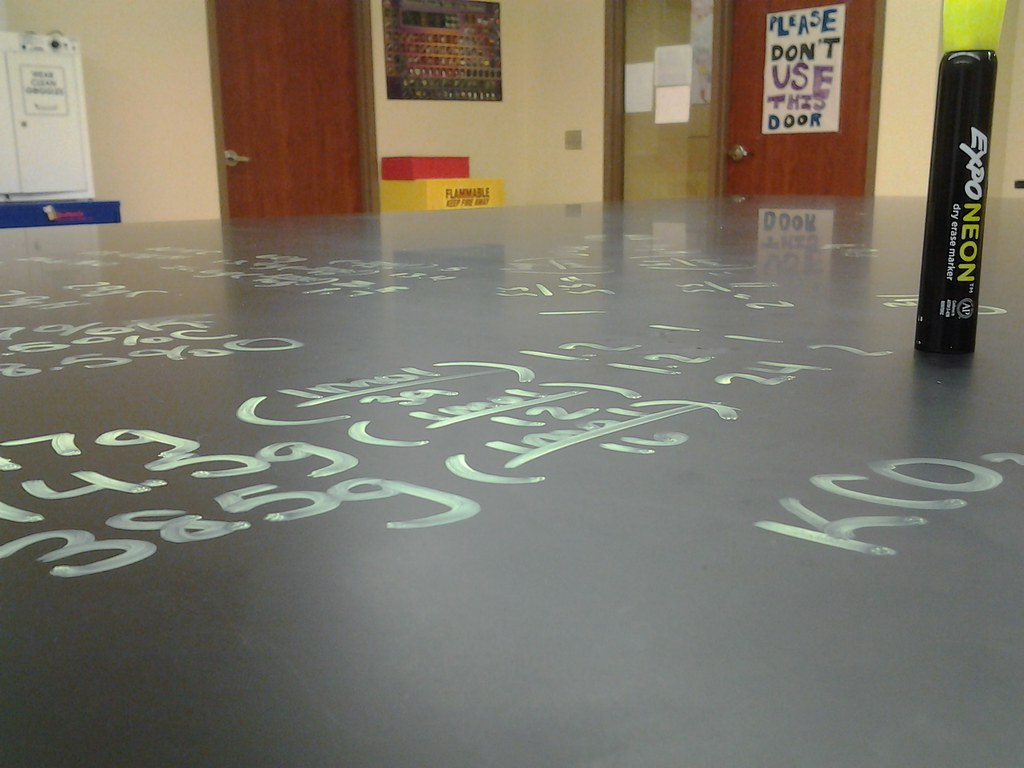
The desk photo is mine.
Every other month, we give students an argumentative writing prompt which is then scored against a standard rubric. One of our school goals is to improve the quality of writing from our students, so we teach them not only the content, but how to make a good argument. Using things like facts along with application and persuasive writing techniques all blend into one piece.
With each prompt, students see the scoring rubric beforehand and then receive that back with their writing so they can see what needs to improve. I have a few (mostly organizational) problems with this:
- I’m usually not organized enough to print out half-sheet rubrics before the prompt (it’s just a normal class day)
- That’s a lot of paper because the prompt also needs to be printed, and it’s nice to let kids write on the back of the prompt itself.
- My handwriting is awful, especially when I have 140 papers to grade and comment on.
- I am a notorious paper-loser.
I have wanted to try some of the New Visions CloudLabs add-ons for Google Docs for a long time, but didn’t have a real need to. So, I dove into autoCrat because I knew it could take form data and push it over to a sharable and printable Google doc. It worked great, but it generates a separate doc for each student, which isn’t something I want to manage (I know I could use Doctopus in conjunction to make it easier, but I’m not at that point yet). What I really wanted was something to add new entries as a table to a class-level document. I could print those out, cut them into slips, and distribute.
Karl Lindgren-Streicher to the rescue.
@bennettscience Check out docappender. That might do what you want to do.
—Karl LS (@LS_Karl) February 5, 2015
docappender was definitely what I needed.
In my Drive, I created a folder with six empty documents simply labeled with the class hour. Then, I created a Form I could use to add the student’s name, their class hour, their score, and some comments.

Rubric form
docappender works by looking at your form for an identifying field (for me, class hour) and then finds the matching document in your folder.

Output after a form submit.
Each time I submit a new score, the script runs and pops out a formatted rubric for the student. It’s great.
Now, I can have a class set of rubrics for students to use while writing, they can write on the back of the prompt (cut my paper use by 2/3), and they get a typed scoresheet back. I also have a digital record, so no keeping track of these papers.
We’re not one to one or GAFE right now, so I don’t worry about sharing with students. If we head that direction, you could easily go paperless using some of the other New Visions add-ons in conjunction with one another.
This weekend, our local over-the-air movie stations had a marathon of classic monster/science fiction movies. I watched a bit of King Kong (1976) with my daughter because you really can’t start too soon.

I immediately regret this decision.
Later, I swung back through and caught the beginning of The Island of Dr. Moreau (1977) – which, by the way, was the better of the two film versions. I caught the scene where Michael York and Burt Lancaster are discussing the ability to mix human and animal DNA:
Dr. Paul Moreau (Lancaster): How does a cell become enslaved to a form, to a destiny it can never change? Can we change that destiny?
Andrew Braddock (York): Should we?
Then, during the Super Bowl last night, I caught Chris Pratt asking the same question in the new Jurassic World trailer:
You just went and made a new dinosaur? Probably not a good idea.
Holy foreshadowing, Batman!
It reminds me of Jeff Goldblum’s similar line from the original:
John Hammond: I don’t think you’re giving us our due credit. Our scientists have done things which nobody’s ever done before…
Dr. Ian Malcolm: Yeah, yeah, but your scientists were so preoccupied with whether or not they could that they didn’t stop to think if they should.
Oh, how our culture loves to ask rhetorical questions after the fact.
Tech in the classroom is in the same vein. Just because we can, should we?
Companies left and right are professing their capability of changing the way people learn through their brand-new-all-in-one-revolutionary-online-blended-learning-platform-sign-up-now pitches. Double bonus if it is built on brain science.
Just because we can put lessons online with videos and quizzes that work on all platforms doesn’t mean we should. But, we clamor for cross-platform compatibility and go to conferences to hear about the new stuff. Why aren’t we asking hard questions of the groups making the stuff?
Obligatory tech is important line yada yada.
Before diving into using the newest cool thing, stop and take a critical step backward. Is it really in your or your student’s best interest to take a ton of time and build a lesson on a new platform? What will they get out of it? Why is it better than whatever you had done before? How will you assess the growth because of the switch?
If we’re not asking these questions, we’re throwing our student’s education into the hands of the engineers. And we’re happy to do it, most times.
Maintain a critical eye. Hell, be cynical. It’ll protect you from doing something just because you can.
Okay, fine. This was a bad idea.
I nearly lost my temper this morning.
One class in particular has some…big personalities. I want to be able to do hands on, interactive work with the group, but they test my limits pretty regularly.
They don’t test me with silly questions or with using equipment incorrectly. No…it’s much more nefarious. They use the NBA.
For whatever reason, comparing NBA players and teams gets a small group of students heading down a dangerous path. Dislike of one player or another leads to all-out honor defenses and stat showdowns. If this were happening in a civilized manner like on Outside the Lines, I wouldn’t mind so much. But, these – lately – have turned into all out, across the room, Mr. Bennett is invisible cage matches.
I’ve done seating charts. I’ve set time limits and deadlines. I’ve used proximity, redirecting, and direct instructions to students. NONE of it has seemed to have any effect. And what makes it even more frustrating and intolerable is that the entire atmosphere of learning for the other students in the class evaporates completely, and I feel powerless to wrest it back.
And so today, they broke the camel’s back.
On Monday, we’re heading into full lockdown. They’ve shown that they cannot handle the independence. They are getting yet another new seating arrangement and I am taking the reins.
And yet, I feel like I’m punishing the community over the acts of the few.
I have control issues. I don’t want to spend my energy managing a classroom. I lose the interactions and the opportunities to talk about what learning is happening. I can’t prompt individuals and groups and I can’t celebrate small wins. But I don’t know what else to do.
How to you build community when the leaders in the group don’t care? They’ve never been asked to care about school, and now that they’re faced with that choice, they don’t know how to handle the responsibility. If it were the beginning of the year, I would love to take them through that team-building path of developing a culture of learning and a culture of open discussion. But instead, they’re functioning just outside the bounds of their traditional school experience, and it’s creating a chaotic space. And that’s not okay.
I feel like I’m a double bind – I need to direct the time more, but I don’t want to put the rest of the class in an unfair situation. Unfortunately, I don’t see any other alternative.
How much money do we spend to go to conferences? A few hundred, easily.
How much money do we spend on tools, apps, programs, and resources to use in our classroom?
Or better yet, how many people show up for sessions which talk about programs you can buy to use with your kids in the classroom?
It’s strange that we put so much out there to travel and hear about tools, but all we want to hear about is the free stuff.
I get asked abou my grading a lot because it’s pretty different than a typical classroom. I’ve refined it slowly over the years, and I’m by no means totally happy with it, but I’m happy with how it’s changed the way I (and my students, eventually) think about grades.
I tend to struggle and wrestle with what grading communicates, even if it’s not something students (or other teachers or parents) latch on to at first. I’m a big believer in the idea that everything we do sends a signal about what we believe. Grading is at the heart of school (unfortunately) and the policies in place say a lot about teachers.
1. I grade skills, not papers. I don’t care what papers get turned in. It doesn’t prove anything to me. Mostly because copying is rampant, and this helps curb that tendency. Writing something down does not equal understanding. I want to see application and thought. That can happen in writing, but it’s easier to see in the moment with probing questions and observation. I think at the core, you could call this modified Standards Based Grading.
2. I want to see evidence. Papers may not be graded themselves, but they can serve to build an argument to demonstrate understanding. A student may have the written work – even copied at times – but it lays a foundation for their understanding. So, keeping track of notes, worksheets, labs, etc., can build a more convincing argument for learning. But, remember, students still need to communicate the skill in addition to showing the evidence.
3. I make sure grades are fluid. Once a grade is in the book, it isn’t final (up until the quarter/semester deadline, at least). If a student isn’t happy with their grade, they can take a minute to make it better. With this system, it’s not just a missing assignment: it’s a gap in a student’s understanding. The standards are specific, and they can go back to work on that one idea to improve their grade. At the same time, I’m reinforcing the fact that I care about what they learn, and not what they turn in.
I don’t have a specific book setup, other than each standard goes into the book as a one (you get it) or a zero (you don’t). I don’t play with percentage arguments because it’s all subjective. If a student feels they deserve a 90 rather than an 85 on a lab, prove to me why, and I’m happy to change it. Grading should really be the ultimate form of formative feedback – a glance at where they are on a given day that informs work for the future.
I’m a big believer in letting students make their own decisions as much as they can. In high school, they’re dictated to. A lot. I figure picking somewhere to sit is one way to give a little bit of agency and ownership to the classroom space.
I’m back in the classroom for the first time in nearly two years. I’m the fourth teacher this particular class has had – starting in January. This is a near perfect-storm of tough starts. I wanted to set my standards high and gave the privilege of allowing students to sit where they wanted – I was hoping my act of good faith would let them see that I wanted to treat them like adults.
Well.
Turns out that no, making a seating chart doesn’t make me a bad teacher. I’d forgotten that structure and routine are what allow us to get to a point where students work independently reliably. I have to build the ethic into them, and part of that is restricting extraneous factors which can cause distraction.
I’ve realized that I worry about the wrong things sometimes. I’ve focused so much over the last fee years on being ‘student-centered’ that I’d forgotten the fundamentals. I’d forgotten that setting boundaries allows students to focus on what’s most important – learning. Many of our students don’t know what the learning process looks and feels like, so we have to emulate the basics. Once habits begin forming, then we can begin to ease some of those procedural guidelines.
And that’s the big difference for me – I’m setting these restrictions because I know what the endgame is. It isn’t a powertrip or “classroom management resource.” I’m setting up an environment which will – eventually – be one in which my students can learn openly and independently.
I get really, really excited about comets. I remember seeing comet Hale-Bopp back in 1997 hanging in the sky and being amazed that those wanderers exist and that we have a chance to see them from time to time. This year, we’re lucky to have another comet swing by the Earth and though faint, may become a pretty good sightseeing opportunity as we move through January.
South Bend isn’t known for it’s clear winter skies, but last night I had a chance to go outside and do some comet hunting. C/2014, Q2 (also known as Lovejoy) has been below the equator until just recently. Additionally, it just brightened up enough to be seen in dark skies with the naked eye if you know where to look.
Head outside and look to the southeast. Find Orion in the sky, and then look below that for a slightly-lopsided box – that’s Lepus. Hover over the photo below to see a labelled image.
Lovejoy is moving higher in the sky over the next month, through Lepus and up next to Orion. The comet is still pretty faint, but it’s the small, greenish smudge in the photo and should increase in brightness as it moves closer to perihelion (nearest point to the sun) in late January. I don’t have a tracking mount, so my photos are all a little blurry, but I managed to get one that shows the comet’s nucleus and coma.

…and a little closer…

Why am I putting this on a blog about education and technology? A comet sparked my curiosity in space and is something that stands out very clearly even today. Our students live in a world of screens and media. We need to be the people in their lives who expose the bigger world at every opportunity. Not every student will think this is as amazing as I do, but that’s okay – we’re not there to make every student love what we do. If one student gets excited over something bigger than themselves, we’re accomplishing the mission of teaching.
This year, my wife and I decided to make many of the gifts we gave for Christmas. Me, having a bunch of time off from working, and Lindsey, raising a beautiful one-year-old who enjoys playing with necklaces and her dog, had plenty of time to dive into gifts. It’s always extremely satisfying to be able to tell someone, “we made that for you” because it shows intent, love, and a deeper thought about something they might like.
I got to dive into some design work I’d never had a chance to do before. I opened up Inkscape for the first time and taught myself some of the basics of vector editing. It started with creating a new website for my father-in-law, Dave, and then bled over into making custom labels for our homemade vanilla and lemon extracts.


We also chose to take some new photos of our daughter to give to family and friends. Lindsey is an amazing photographer and has a great eye for capturing something with a lens.


The last two months have been rough. There are plenty of bright spots, though, that remind me to be thankful even when things don’t follow the plan. This fall was definitely out of the scope of the plan, but I’ve enjoyed the time regardless of the circumstances. Make sure you spend your time doing things worthwhile.
I’m really struggling. I lost my job in November and I’m in the midst of trying to balance what I do with who I am.
I wrote in January about the confusion I feel with identity. It’s even bigger now, with more questions than answers. Bill Ferriter was kind enough to leave a very wise comment for me:
I definitely think there’s an expiration date for people who walk away from the classroom — both in your own ability to understand just what it means to be a real-live bona fide full time classroom teacher and in your ability to maintain credibility as a practitioner in the eyes of those of us who are still in the classroom.
That’s unavoidable. It is what it is.
Your challenge is reminding yourself that your work still carries value. In many ways, you get to empower teachers now in ways that you could never do before. It’s a different kind of rewarding, but it is still rewarding, none the less.
(That’s just a snippet, but it helps.)
In May, I wrote more about being a teacher…what it means for identity and working. I still think that a teacher is a holistic undertaking – you don’t do teaching. You are a teacher. It’s unique in the sense that not many other professions can make the same claim.
I think I had it right back in January – I need to stop defining myself by one quality. I may not be in a classroom, my expiration date may be past, but I’m inextricably wound up in education, regardless of what I do. Maybe that’s the real lesson.
Email is a bear. The Oatmeal covered it pretty thoroughly. I use a few little tricks with Gmail that many people don’t know about, so I figured I’d share a few. Maybe one will help you out.
1. Use filters and create labels. Our inboxes get filled up so fast with so many different things, it’s easy to lose an email from your wife or a friend. Filters and labels are sort of like automatically-applied tags. You set them up ahead of time, and then Gmail does the rest.
The easiest way to set this up is to save a search for emails from someone you want to pull out specifically. For me, I want all emails from my wife to be labelled so I can find them later.


I would say avoid using the “skip the inbox” option because it’s easy to forget to check for emails from your friend (or wife), and that’s bad.
Essentially, just like filters, labels can let you find emails quickly. They just set the email off to the side for a quick reference. I wrote a post the other day about a helpful search, and I’ve made a label for that so I can find those emails with one click. Note that you can add, delete, or edit any label you have in your Gmail Settings > Labels.
2. Multiple inboxes are your friend. A few updates ago, Google introduced the managed inbox where you were given tabs and emails were automatically filtered into things like Social, Promotional, or Important. Ditch that thing immediately. You miss emails in the long run, and that can be bad. You need a filter and a label for that filter in order to get this to work correctly.

I love this because I can customize what I see when I log in. I use stars to remind me to do things because I can add them in the mobile app as well. They’re right there at the top, reminding me to take care of those messages. Using “Add Section,” you can apply any filter that you have set up and get it’s own section in your inbox. Be intentional about what filters you set because they can really make your life easier.
3. If it doesn’t need a response, and you don’t need it, delete it. Or archive it. Get it out of your Inbox.
4. Use Google’s advanced search operators. You can use a filter for this, but it’s more about using the Gmail advanced search operators in savvy ways to narrow down your results. For instance, you can use:
has:attachment pdf
and you’ll get any email with an attachment that’s a PDF. If you get a lot of one kind of attachment, this is incredibly helpful. Another one of my favorites is to use:
is:read newer_than:7d
The newer_than:7d returns emails from the past week only. You can search by date, but seeing what’s there from recent days is helpful when you’re trying to stay on top of correspondences.
There are tons of articles online with more tips, these are just some I use to manage my life. My inbox typically only has a dozen or so emails at a time, which is a pretty big accomplishment. Leave your own tips in the comments.
This is the final post for my Creativity in Teaching and Learning course, and it’s broken up into three parts.
The Elevator Pitch
If you’re short on time, I’ve got the elevator pitch below. It’s a condensed version of the white paper, and hits the major points of the essay. Consider it a one-minute commercial for why you should bookmark the essay to read later.
Even Shorter
Maybe you’re on mobile and the audio doesn’t work so well. Fear not, here it is in a tweet:
Creative work isn't just a final product. It's woven into every idea stu's play with as they learn. Important diff. http://t.co/VzhRG0aURf
—Brian E. Bennett (@bennettscience) December 3, 2014
David Wees asked a question on Twitter today that I thought would be pretty easy to solve:
@bennettscience I probably read the email though. In fact, I at least look at every email I get in order to quickly catalog it.
—David Wees (@davidwees) December 1, 2014
Turns out, no so much.
In my searching, I did come across a service which reminds you to follow up with emails which are unreplied to you, but not ones which you need to send the reply.
You can use filters and other little workarounds to get it done, but that usually means having to remember to actually add the filter or mark it unread when you’re going through your inbox. That’s hard to remember to do in the moment, and can even be impossible (like if you’re using the mobile app). Luckily, you can combine search operators in the web view to get pretty good results.
The trick is you have to be using a signature so that every email you send has a unique string in it that we can filter out.
For me, I have a link to my website – ohheybrian.com. It’s pretty unique, which makes it a good search term. You can use your name, too, but you want to be careful with that in case the sender used your full name – if that’s the case, it’ll get filtered out.
To find emails which need replies, you want to use is:read -Re: -your_unique_phrase.
This checks for read emails (in case you forgot to mark it unread), without Re:, and without your_unique_phrase.
Mine reads: is:read -re -ohheybrian.
Emails which are part of a thread still show up, but they’re based on the last email of the conversation. So, the thread may contain replies, but you haven’t replied to the last one you received, which can still be handy.
You can limit it even further by using in:inbox or some other filter, but that isn’t usually necessary.
Unfortunately, this isn’t perfect, so you’ll still need to do some spot checking. There is no perfect solution as of right now (no is:reply filter or something similar) which you can use, but Google does have a good list of the Gmail search operators that you can play with to build some pretty powerful searches.
Polarization is easy to achieve, but it’s hard to undo. Education is riddled with polarizing issues, both political and practical, and the issue of homework is one of the worst.
The central argument: Homework doesn’t benefit students, and you shouldn’t be giving it.
Aside from pushing buttons and for increasing retweets, search hits, and Klout scores, the homework argument doesn’t go much farther than that. Unfortunately, it’s also gotten to the point where teachers who do give homework feel ostracized in the popular education social spheres. Apparently, that means they’re bad teachers, so instead of trying to engage with an already polarized community, they hunker down and don’t bring it up.
It’s a tragedy that we can’t talk about teaching without diving into our camps.

This girl is in every blog post or slide deck about homework…including this blog post. Creative commons licensed (BY-NC) flickr photo by Cayusa: http://flickr.com/photos/cayusa/2194119780
Homework in and of itself is no more a “bad” thing than giving multiple choice tests or lecturing in class. What’s bad is when we do those things – or any thing – without thinking through what we’re doing and why we’re doing it. Rather than pushing for ideological conformity, why don’t we take time to discuss what the real issues are behind each action?
Let’s consider some valid reasons to have work done outside school hours:
Students need time to process their learning individually. This isn’t always done best in the classroom. Time to reflect, process, or otherwise chew on information alone should be done outside of school because it is more conducive to finding insight.
Practice. Don’t shoot the messenger, but skills need to be practiced. Again, corporate time in the classroom is not necessarily the best place for individual practice to take place.
Teaching time management. If we had unlimited and unscripted time during the school day, maybe I wouldn’t use this one in particular. But, when we get down to nuts and bolts, we can’t give unlimited time to accomplishing a task – and before you get all “real-world” on me, yes, it happens in places other than school.
Exploration of ideas. I would love to provide a fully immersive environment for my students, but I can’t replicate a forest in the building. Sending students out to take a walk and experience their environment requires that they do it outside of school.
We get so hung up on where this stuff happens that we miss the bigger point. Yes, I had students who took care of siblings, played sports, or worked. I did my best to limit the volume of work outside of school, but I think it’s a bigger adjustment to change what kind of work happens outside of school. Perhaps it isn’t the fact that homework exists but rather the homework we give tends to suck.
(No, not that myspace.)
I’m on my computer a lot. Having been a remote worker for 18 months and taking classes online, I needed somewhere to focus. When we bought our house, our bedroom had some recessed shelving already installed. Mishra et al. (2013) refer to architect, Christopher Alexander, and his suggestion that “the environment is best shaped by those native to that environment.” He may have been speaking about larger building projects, but reshaping our environment is a natural and expected behavior.
The entire remodeling industry is built on the fact that people want to reshape existing homes to better suit their needs. In my case, I added the desk in the thumbnail above to the bookshelves. It wasn’t a major project (before), but it was one that made the space suitable for the work (both creative and practical) that I needed to do.
I’m no stranger to home remodeling. Having some space set aside for myself was a respite from the major projects happening at the other end of the home. Again, back to Alexander: we were actively developing, changing, and shaping our environment based on the interactions we wanted to have in the space.
The article raises some interesting questions about how spaces (not just learning spaces) can be built to serve a population or a purpose, but seldom both effectively from the onset. If “architectural creativity” draws from “interactions that exist between the inhabitants of the environment,” (Mishra et al. 2013), does that mean building design has to consider multiple functions for a given space? In other words, can a room truly be built with a particular function in mind and still be effective? How much nuance comes into play with each inhabitant?
Truly effective spaces allow for flexibility in function as well as form. It may not seem like a big consideration, but having space for both old and new media on my desk allows me a greater creative range than I would normally have. Fostering both digital and analog thought allows for greater depth and refinement in “produced” work. Ideas are easier to jot down on paper and then refine out in the coding or writing process. Analogous to filming a project without a storyboard or script, writing by hand helps me find a theme to follow for the rest of the process.
Creating and publishing online has allowed for an unprecedented amount of creativity to both spill over as well as be shared. Anyone can make anything and post it online for the rest of the world to experience. New spaces often focus on providing the means to connect, as is described by Mishra et al. (2013):
The room had two large screens that could be used to project video of the participants at a distance, or to share a computer screen. There were cameras around the room, some of which could be controlled by students at a distance (using a web-based interface). The chairs in the room were unusual too: they were mobile, and equipped with iPads that could be used by participants for video conferencing.
The focus has been on giving students the means to connect rather than the means to create. Students and teachers already have devices on hand, so new spaces need to focus on accentuating the devices already present. So, rather than purchasing iPads, perhaps the space should have focused on peripherals or tools to use with whatever students walked in with. Flexibility in any space doesn’t come just from it’s use, but it what uses are afforded by supplemental tools.
Resources
Mishra, P., Cain, W., Sawaya, S., Henriksen, D., & Deep-Play Research Group. (2013). Rethinking Technology & Creativity in the 21st Century: A Room of Their Own. TechTrends, 57(4), 5-9.
Featured image creative commons licensed ( BY-NC-ND ) flickr photo shared by Jonas Tana
Shape is immensely important in science. The shape of a molecule, bone, or any other structure partially determines its function. When studying microstructures, it can be difficult for students to really grasp the complex three-dimensional structures that are proteins. I think a good analogy for this idea is the “human Tetris” phenomena. In simple terms, your function is to make it through the wall. Your shape determines how well you accomplish that task.
This is obviously an extreme example, but it’s an easy visual cue for what’s happening in our bodies all the time. In fact, you have proofreading enzymes that will break down a mis-formed protein so the constituent amino acids can be used in another functioning molecule.
Playing the Game
Proteins are complex, so we’re going to take it down a notch and use a simple reverse-engineering game to help students see the relationship between structure and function. You can expand or limit this in countless ways and in many permutations, so don’t worry too much about the particulars. One of my favorites is an old physical science task: keep an egg from breaking when dropped from a height.
Effectiveness
The function in this case is very clear – don’t let your egg break. Going about accomplishing that task really highlights the importance of a well-thought out and well-constructed container. The beauty of this game is that it is immediately accessible…there are no rules to learn and no complex interactions to stress over. Lowering the barrier for entry immediately invites students into the process of considering the structure as it carries out its function. Add in rapid prototyping and testing designs, and students are now involved in a learning loop driven by a simple goal and immediate feedback on the efficacy of their design. This is something “professional” players do regularly. Root-Berenstein (1999) quote Elmer Sperry on the prototyping idea, “I never would have realized the possibilities had I not been able thus to visualize [gyrocscopic reactions] while they were actually taking place.”
The prototyping process is also important as students transform an abstract idea to a design to a working device and reinforces the idea that in play, “things are whatever we want them to be.” Each transformation made, from a minor design improvement to a rework of their structure, is important in the learning process. Root-Berenstein also outline the transformational and play processes used by artists, and it reminded me of the mini-documentary below from the group Smiconductor as they played with and transformed data into an art installation.
Cosmos the Movie from Semiconductor on Vimeo.
I’ve also iterated on the implementation of this activity, from limiting their time to build to limiting what they can use to build. Both restrictions create a game environment and push students into higher levels of abstraction and synthesis. However, restrictions do not necessarily highlight the structure/function relationship more completely. By keeping the intrinsic load of the activity at a minimum, students can focus their energies on the structure-to-function relationship, which is the entire point of the task. Games, as with any instructional piece, can be cumbersome and unintentionally obscure the point of the work being done.
Finally, the diversity in student (or participant) solutions is amazing. Limiting materials tends to narrow the type of structure (for example, bags result in a lot of parachutes) and it’s a great way to get into discussions about why certain structures emerge more frequently than others. Again, because of the low barrier for entry and open-ended nature in finding a working solution, students can jump in and begin finding relational points between a structure and it’s function.
Interested in More?
Other building activities which could serve as structure/function comparisons include:
Resources
BBC. (2009, December 10). 2009 top fails – Hole in the wall – Series 2 episode 10 highlight – BBC one [Video file]. Retrieved from https://www.youtube.com/watch?v=g9k_WOjBOFc
Jarman, R., & Gerhardt, J. (2014). Cosmos [Video file]. Retrieved from http://vimeo.com/109563495.
Root-Bernstein, R. S., & Root-Bernstein, M. M. (1999). Sparks of genius: The thirteen thinking tools of the world’s most creative people. New York: Houghton Mifflin Harcourt.
The first major break of the holidays is upon us, and I’m in the mood to do some giveaways. Over the last 18 months, I’ve contributed (along with the likes of Steve Kelly, Kristin Daniels, Crystal Kirch, and more) to some fantastic books and I’ve got some extra copies that need to be read.
For this round, I’m giving away a physical copy of Flipped Learning – Gateway to Student Engagement (2014) by Jon Bergmann and Aaron Sams (pictured above).
If you’re interested, please share this post and then leave a comment below. I’ll use the random number generator to pick a winner Monday evening at 9:00 PM EST. You’ll have a day to contact me through my website’s form to claim your prize.
Be sure to add this site to your RSS feed reader for future updates and other book giveaways over the next few weeks!
Featured image creative commons licensed ( BY ) flickr photo shared by Wonderlane
I apologize for the click-baity title, but I think it helps get to the root of some emerging issues in the tech and education landscapes. I’ve got four problems briefly outlined with proposed solutions beneath. As always, comments are welcome.
Problem 1 – Closed Content
Schools nationwide are filtering content beyond a reasonable amount. I understand COPPA and FERPA and that they are extremely important. What I don’t understand is how wide a net schools are casting in their use policies with students while citing FERPA and COPPA across the board. This is not a time for blanket statements and policies. Yes, it takes more work to manage a wider range of software and web filtering, but the benefits a more open web brings students are enormous.
What you can do – Keep track of which websites and services you want to use, but can’t. Explain why they’re important in the learning process for your students and justify why they should be opened. Look for positive examples and emulate their methods in order to build a substantial case for change. Finally, volunteer to help review those requests to build a sustainable system.
Problem 2 – Isolated Devices
Hours and hours are spent choosing the perfect device to use with students. Unfortunately, it’s a lost cause – there is no single device which will make you happy at all levels. Doubly unfortunate is the fact that work done on an iPad will probably be locked into being viewed on an iPad (unless you’re publishing to the web, but even that is degrading. Also, see Problem 1.) because it is in the best interest of Apple, Google, Microsoft, and the other guy to lock you in.
Choosing a device for students should be based on what you want them to do, but understand there are compromises.
What you can do – Don’t worry so much about what students are using to create and spend more time on what they’re doing. Device purchases aside, avoid dictating specifics and you’ll see students be far more creative and open with their work that they normally would.
Problem 3 – Fanboyism
iOS or Android; Mac, PC, or Chrome – walk into an education conference and pick a fight with anyone there about which is best for students and watch sparks fly. All of this is really based on opinion fueled by “what we’ve always done.” It’s fun to poke fun at the other guy, but I’m worried that it alienates people who feel like they’re in the minority.
What you can do – It’s hard, but avoid making snide remarks about platforms that are better or worse than others. Really, you can do equitable work on any platform now, so it doesn’t matter at all which one you actually go with. Know what your goals are and make a decision that fits those goals.
Problem 4 – Identity Loss
I’ve written about this before, and I’ve brought it up on more than one occasion in conversation, but if the product is free to use, there is some hidden catch that we need to be aware of. “Going Google” has implications for us and our students that need to be weighed. Remember, you are an asset as a user of a free service – not necessarily a “valued customer.”
What can you do – Know what the costs of creating an account are. I know it’s really difficult to imagine life without Google (I still have a Google account…it’s okay…) but know what you’re putting out there. This is especially true when you ask students to create accounts online – please read the Terms of Service and Privacy Policy before pressing “I Agree.”
Proteins are some of the most varied, complex, and mind-bending models studied in biology. Built from our genetic code, proteins have multiple levels of organization which can be modeled independently and corporately to learn about their functions based on their structures. Because of this complexity, proteins offer great fodder for the biology classroom and helps tie molecular genetics (DNA, RNA) into the bigger picture of our bodies as a corporate unit.

creative commons licensed ( BY-NC ) flickr photo shared by alumroot
Starting small
Protein is the direct result of your genetic sequence. The building blocks (amino acids) are coded in the strand and your body uses that template to build everything. A common activity is to have student decode the template and come up with a simple amino acid sequence – this is the primary structure. The sequence of acids themselves will determine the rest of the protein’s properties.
After the acids are sequenced, they form either an alpha-helix (spiral) or a beta-sheet (flat). The structure of the helices and sheets begins to give the protein its shape in space. As they are formed, hydrogen bonds and attractions or repulsions are realized and the macrostructure begins to fold into it’s functional shape. These are the secondary and tertiary structures of the protein, and this is where students often get confused. Each time a fold is made, considerations have to be taken for adjacent functional groups and their influence on every other part of the model.
Finally, a protein’s quaternary structure comes from its interaction with other protein subcomponents. Because these molecules are so large and complex, they often form in constituent pieces which then fit together into the functional macromolecule. Your blood, for example, is a protein called hemoglobin, and it’s actually four protein subunits working in conjunction with one another.
Working with Students
A great way to have students think through the folding and conjoining aspects of protein formation is to use something like this origami-based activity where students fold a subunit in part one, and then join those units together to form a working structure in part two. They have to think through how the structure of one subunit contributes to the function of the macrostructure once it is completed. They also quickly learn that if proteins are not shaped properly, they will not function correctly.
Pedagogical Implications
Modeling in science is incredibly important. It’s hard to remember that everything we “know” about tiny structures like atoms and proteins comes from many, many years of environmental observation. We can’t actually see how a protein is folded, but we can make models based on how they interact with the environment. Students don’t realize this, and it’s important to point that out.
Everything in science is based on observation, yet we expect students to learn about structures and their functions, yet they can’t be seen. We have to teach them that first, observation is more than seeing something, and second, that models can help us make those observations. Show a student a physical model of a protein or a bone and ask them to describe what they see and feel and let the science happen. Giving them the experience of trying to fold a protein will help internalize the complexity of our bodies and what a marvel they are.
Too often, biology is complicated pictures, graphs, and data sets. It isn’t made real for students, and building models of blood cells from paper is one way to do that. Making the abstract concrete through modeling and analyzing the building blocks helps students see biology as something to be experienced rather than memorized is a big task, but it’s an important one.
Resources
Root-Bernstein, R. & M. (1999). Sparks of genius: The 13 thinking tools of the world’s most creative people. New York: Houghton Mifflin Company.
Turnbough, M.; Martos, M. (2012, August 16). Venom!. ASU – Ask A Biologist. Retrieved November 18, 2014 from http://askabiologist.asu.edu/venom/folding-part1


Wow, this is some clever judo! I’m plotting now for “my_unique_phrase”
Yeah, given all the search tools google has, this one is missing. It’s also impossible to filter by “No Subject” which is maddening sometimes.