Posts
…there’s no escape.
I wanted to catch up on assignments for the ds106zone, so I hopped in on this week’s audio work. An easy one to get in was create a radio bumper for the ds106radio channel using a short clip from The Twilight Zone.
I deviated a little from this week’s episodes by watching Five Characters in Search of an Exit, and it struck me as a great parallel for my foray into ds106. I’ve dabbled, I’ve asked questions, and I’ve explored. Now that I’m fully into the fold, I don’t think I can ever leave. The community is fantastic, and even though I haven’t kept up with the “official” class, I feel more creative accomplishment than I have in a long time.
For kicks, I also decided to throw together a very simple Twilight Zone themed radio banner. Maybe I’ll GIF it. Maybe not. If you want to remix it, you can grab the .xcf and have at it.

…there’s no getting out.
Now, I just need to listen to the radio show constantly to see if ScottLo decides to use it…
I posted earlier that I’d been having a hard time working with the assigned episodes this week. When I got home, I decided to watch a different episode and see what would happen. I turned on Will the Real Martian Please Stand Up? from season two of The Twilight Zone. I hadn’t ever seen this one, and the episodes with UFO’s and aliens involved always intrigued me.
(As a kid, I borrowed a TON of UFO books from the library, and then I started to get freaked out, so I stopped.)
I loved the disparity between the characters in this episode, and I thought I had it all figured out. Well, it turned out that I forgot I was in the Zone, and Serling pulled a fast one on me. Again.
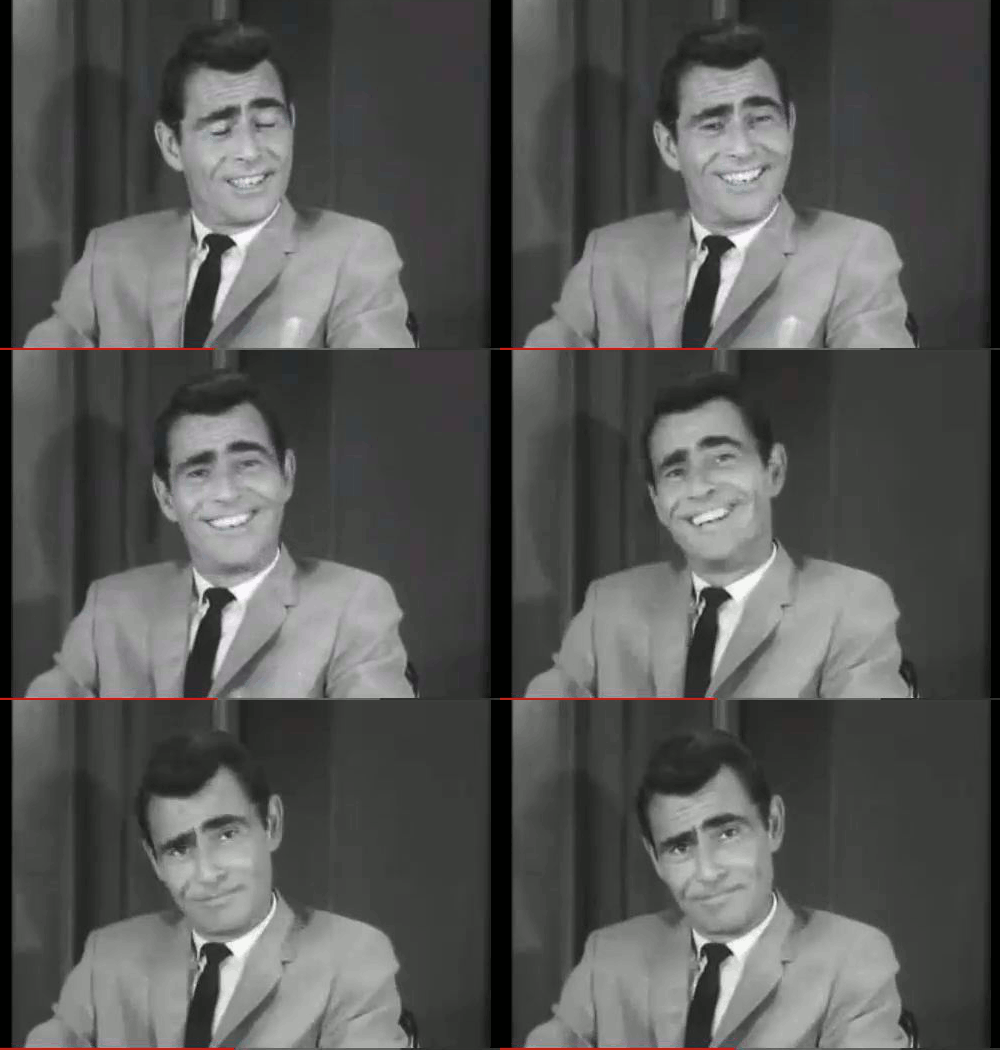
Don’t think you know me.
I decided to do another minimalist book cover for this episode, mostly because the image popped into my head immediately. Plus, I figured the one I did on A Clockwork Orange was done before the class started, so technically, I’m not redoing a project I’ve already completed.
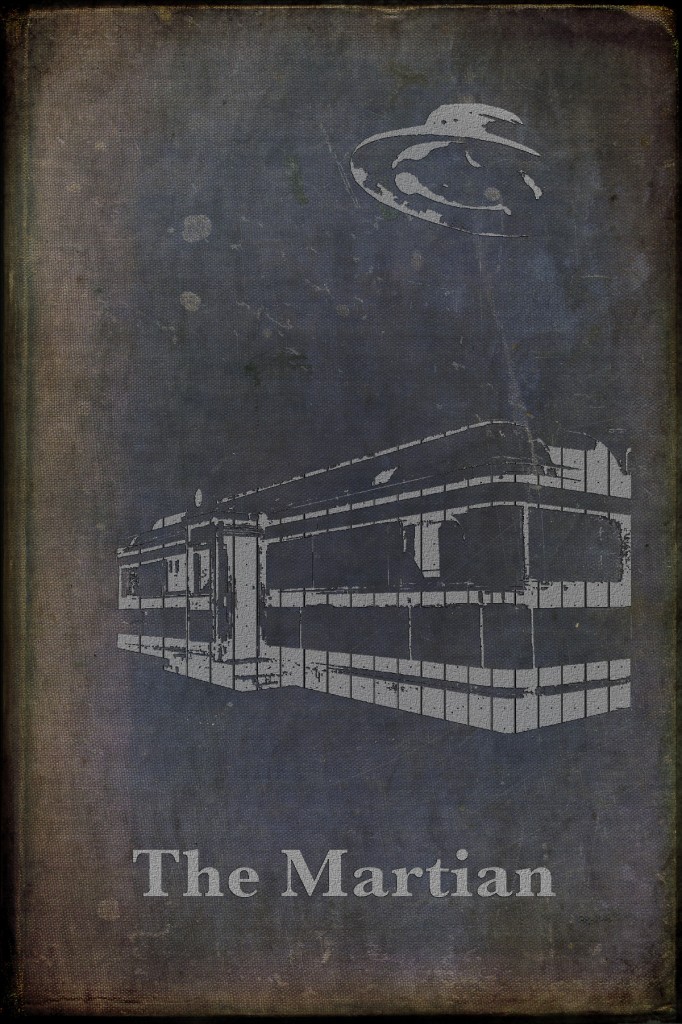
One of these things is not like the other…
I used a couple tricks taught to me today by Shannon Tate after commenting on her beautiful House of Leaves book cover. They really helped me achieve more texture in the image overlay and the text, which made me happy.
I feel like I’m back on the horse and I’m looking forward to (maybe) getting another project done this weekend, and definitely starting fresh next week.
—
Book image photo credit: ~Brenda-Starr~ via Compfight cc
Man, this has been a long week. Aside from the remodel I began on my house, we had family visiting and a sick wife to boot. So, my ds106 work had come to a relative halt. I worked on some here and there, but couldn’t really sit down and put in some time.
I decided to do a sound story in which the United States revisits the giant’s planet…and let’s say things go a little bit differently. The story is below.
[soundcloud url=”http://api.soundcloud.com/tracks/94827778″ params=”” width=” 100%” height=”166″ iframe=”true” /]
This is actually about half sound effects from freesound.org and half from my own house remodel, with the different noises being used mostly for the machines that come out of the spaceship. The woman is caught off guard this time, and well…you tell me what happens.
In a perfect world, I would have had a design assignment to go along with this, but I’m just not going to get to it. If I do, I’ll be sure to post it.
We all need time to do things we love. But, time is not always on our side. Neither are the people around us. Henry Bemis lived a life in which he found solace in books, and contempt from everyone around him. In Time Enough at Last, he is given an opportunity to forget the world and live in his books, but the Twilight Zone had other ideas.
I tackled the One Story/Four Icons design assignment to get the juices flowing. I had a lot of great ideas after watching Tim Owens and Jim on the ds106.tv show about design yesterday. One I had known about was The Noun Project, but I had forgotten about it until the show. So, I hopped over there to grab some images and get going.
I started with 5 icons (full disclosure here) and then combined the man’s head with the mustache to make myself a Bemis. So, in the end, I still ended up with four icons (I’m not a cheater.)

A story, decomposed to elements.
To get the broken lens, I simply used the circle selector and chose the space inside the glasses icon. Then, I grew the selection (Selection > Grow) by 3px to grab some of the edge. Then, I used the Transform tool to skew the lens (we’re getting deep here (yes, that is a terrible pun)) to show some depth. Filled in some lines, and you’ve got yourself a cracked lens. This didn’t take me too long, so I decided to beef it up a little and give myself another star in the process.
Rather than a still image, I decided to GIF this into something a little more interesting.

When things go wrong, they really go wrong.
(I played with the timing a lot. I’m happy with what I came up with).
Just like Mr. Bemis, he thought things would turn out one way, only to find that circumstances often get the best of us, no matter how much we plan.

— CC Attributions —
Person designed by Antonis Makriyannis from The Noun Project
Mustache designed by Fernando Vasconcelos from The Noun Project
Book designed by Diego Naive from The Noun Project
Explosion designed by Bohdan Burmich from The Noun Project
Glasses designed by Thomas Hirter from The Noun Project
On a side note, this episode makes me really, really sad.
3 Design Stars
Rounding out my assignments for the week, I’ve got a brand-spankin-new piece of vintage clip art for you to use in your next PowerPoint (because PPT is so much fun).
The original image came from a SONY ad for a projection TV from the 1980’s. I found this on VintageAdBrowser.com, which has ads from the early 1900’s, categorized by ad type. It’s pretty awesome.
You can grab the HIGH RES PNG if you want to use it for some ds106 fun:

AHHH SHE REALLY IS ALWAYS WATCHING
…or the smaller file for something easier to use.
This one was mostly about selecting out the original baseball image, and then cleaning up around the hands still in the frame. If you want to change the resolution, here’s the .xcf for your riffing pleasure.
The first week of ds106 is coming to a close, and I needed to finish my design work for the week. I clicked on “try a random assignment” and got the D&D Monster Manual assignment. I’ve never played Dungeons & Dragons, but the imagination and storytelling that go into the game are very attractive. (On a side note, if you’re near South Bend, I’d love to learn how to play some time.)
As Ben Rimes is 100% responsible for introducing me to ds106, it was only fitting that he become my monster.


This project took me a long time because the mage I pulled was just a line drawing. I also had to re-learn how to select out different parts of the image as layers to get clean colors. To add to the complexity, I had to play with the fill opacity and style to get the grainy look. I’m not 100% happy with the color in the lettering, but it would have been too hard to read if I had done it lighter. Finally, GIMP’s fonts aren’t so wonderful. But, GIMP does tie into my Mac’s system fonts, so I went online and grabbed one for the front from fonts101.com, and Dosis for the back from Google’s Web Font repository. Both free, both now living on my computer for use whenever I want.
The story part was a lot of fun. I had to do a lot of research into how D&D actually works with monsters (and I’m still not sure I got it right), but thinking up how it would act based on how I know Ben was a fun extension. There’s probably also some kind of backstory in there that I might come back to some day.
If you want to grab the .xcf files, here’s the front, and then the reverse.
Last night, I posted a photo set of images taken every mile for 20 miles.
Today, they’re alive and in color.

Central IL is pretty flat, so you can drive fast.
This was the hardest GIF I’ve done to date. First, I imported everything into GIMP as layers. Then, I had to figure out how to create a GIF where only a pice of it was animated. After searching, going to Twitter, and searching some more, I came across this tutorial from our very own Jim Groom did on how to animate just a portion of the frame. I had the right idea when I was working on it, but I didn’t know you had to apply the layer mask.
Then, I went through each frame and lined it up with the rear-view mirror on the base image. There is still some wiggle in the top right corner and around the mirror, but I’m happy with how it came out, considering I may or may not have been driving while trying to snap the picture.
If you want to spruce it up or riff on it, here’s the .xcf
I was in Centralia, IL all day today (5/22), which is about 5 hours from where I live. Somewhere in between hour 1 and boredtodeathville, I was trying to think up something I could do for ds106 while I was driving. My mind flashed back to an assignment in which you take a photo every step for 10 steps, and then create a collage.
I’ve wanted to do that one following those rules in my back yard, but it seemed like a good place to start. So, I decided to take a photo every mile for 20 miles. What I got is shown below (click the thumbnail for the full-size image to see details, all 4000px worth).
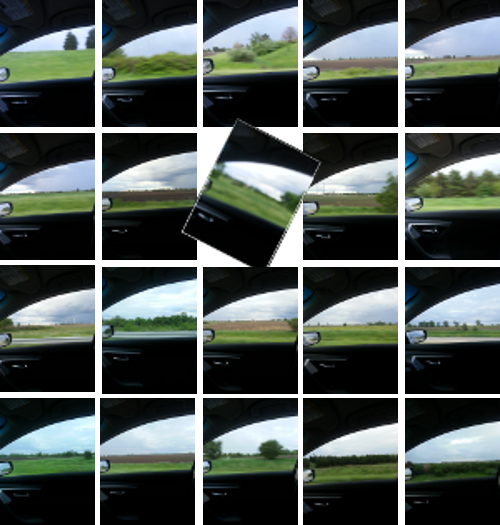
scenery flashing by my lens
The hardest part for me was convincing myself to only take one picture. I wanted to maintain the heart of grabbing a raw image and then sharing the flow of time, space, and imagery. And that included the blurry photo. I had to almost tell myself out loud not to take a “better” picture.
I have another plan for this image series, but that will have to come another time.
As always, the GIMP .xcf file is available for remixes.
I’m traveling today and tomorrow to lead some training on Flipped Learning and let’s just say it hasn’t been the smoothest trip so far.
First, I thought (my own fault, btw) we were doing Mac training. Turns out, we’re doing PC. So, I partitioned my hard drive and managed to get Windows installed before I left.
Second, I’m tearing out my kitchen this weekend to begin a big remodel. So, while I was packing to leave, I was also trying to straighten out my junk so my pregnant wife didn’t have to do it all on her own. Oh, I forgot to mention that my entire family is coming to help. I love them all dearly, but its going to be a packed house for a couple days.
All of which brings me to my third point: in my haste to leave, I left my computer’s power cord at home. Ugh. Rookie mistake.
I got down to the very cozy bed and breakfast that was arranged for me, and I began thinking about how I could keep up with my #ds106 work for this week using only mobile apps. Thankfully, Ben Rimes, Jim Groom, and Scott Lo came to my rescue. This network really is amazing. Everyone is extremely encouraging and eager to help. I’m loving my experience so far.
Anyways, I opened up SketchBook Express, which is the mobile version of the SketchBook platform for OSX. It’s a pretty powerful drawing program which gives you all kinds of different brushes and tools as well as layer editing. Exactly what I needed. I decided to take a stab at the “Looking at Yourself” assignment because it would give me a chance to play with the app a little more.
Dang, I love it.

As always, the photo is free to use.
I was able to create the image using a previous shot from the camera roll and layering a quick screenshot on top. All of the editing, including the trimming, positioning, layering, and transparency were done in the app. It’s free, and definitely worth downloading.
I’m wondering if I should try and do as many assignments as I can using mobile only. As a former teacher, I’m a big believer that mobile is going to be the new normal in schools, and having a broad range of experience creating on mobile might be useful in the future.
Anyways, just some things to chew on. Now, I’m finally going to get some sleep.
Week 1 of the summer ds106 course has begun, and I’m trying to stay on top of the work and do as much as I can with the rest of the summer cohort. I feel like I’ve got the chops, I just hope I have the time.
Today, to kick things off, we have a Design Assignment from the bank. This assignment asked us to create an image for a fictional character with the title of “How to _____.” (Meaning, how to emulate said character.)
I’ve been on a ST:TNG (follow the link if you don’t know what that is) kick recently, so I decided to model my guide on the ever-present Commander Riker. Always there, letting his beard shine out (at least after season 1), playing sweet brass tunes on his trombone, and in general, being a 24th-century-bad-ass-womanizer when Worf wasn’t around.

Shared by CC by Brian.
I did this by grabbing a picture of Riker online and then using the free select tool in GIMP to grab his beard, hair, and to chop out his mouth. Then, badabing-border, badaboom-text, and there it is.
In the spirit of remixing, I’m also going to post my GIMP files on my server that you can download, remix, and play with. It should save some work for everyone in the end. You can grab the Riker .xcf here.
In a spinoff from the
Colorize It and Focus on One Color, I took a photo of my desk at home and then colorized some of my favorite things that surround me each day.
This also makes me think about how much junk I have on my desk. Maybe it’s time to make some strategic decisions and cut down on stuff I haven’t looked at it too long.
I did this pretty quickly in GIMP. I took the photo, duplicated the original and made the copied layer monochrome. Then, I applied a white layer mask and used the free select tool to get nice, crisp lines. I then filled those spaces with black to erase the mask and let the colors show through.
The thumbnail will take you to the full-res photo.
It’s that time of year again: summer. Conferences are picking up and I like seeing where everyone is headed. So, I give you, my summer travel/life schedule.
- Kaskaskia Community College, Centralia, IL: 5/22 – 23
- Clintondale HS, Detroit, MI: 6/7
- FlipCon13, Stillwater, MN: 6/17 – 20
- ISTE 2013, San Antonio, TX: 6/23 – 26
- Lincoln, NE:6/27 – 28
- Another Flippin’ Conference, Yorktown IN: 7/15 – 17
- BLC, Boston, MA: 7/21 – 23
- Warsaw eLearning Conference, Warsaw, IN: 7/20
- eQuip eLearning Conference, Plymouth, IN: 7/21
- Screencast Camp, Okemos, MI: 8/2 – 3
- GAfE Summit – Rocky Mountains: 8/13 – 14
If you’re going to be in/around any of these areas this summer, let me know in the comments, or send me a note on Twitter, @bennettscience
I’m a big fan of minimalism. So, when I saw a minimalist book cover assignment in the DS106 Assignment Bank, I knew it had to happen.
I recently finished reading [A Clockwork Orange](http://www.amazon.com/Clockwork-Orange-Restored-Text/dp/0393089134/ref=sr_1_1?s=books&ie=UTF8&qid=1368718245&sr=1-1&keywords=a+clockwork+orange), and it was more powerful than I anticipated. The book is also very dense with Burgess’ made up dialect for Alex and his gang, so I thought a minimalist cover might be a good juxtaposition with the way the book reads.

CC by Brian Bennett
My initial thought was to use a knife or a record for the cover because of Alex’s dispositions. At times, he is murderously violent, while at others, he is thoughtful and poetic, especially when he’s listening to Beethoven. However, I didn’t feel like those really carried the main theme of the novel. After some searching and some rough trial and error, I ended up using a dentist’s chair as the main image.
If you’re not familiar with the story, a chair plays a major role in Alex’s development. At first, it shows relaxation, or comfort. But, in the context of the story, it is a tool in a method of curing social disease. It is a tool where the occupant loses freedom, choice, and ultimately, self. It is a symbol of terror and carries the weight of the story along with it.
Process
This should have been simpler than it turned out to be…it really showed me that I have to work on my understanding of layers, paths, selections, and how they all tie into one another. I began with an orange background as a base. Then, I added a layer with the original chair image. I used the eraser tool to remove a lot of the extra detail in the drawing, until I was left with the outline of the chair, with the armrest included.
Next, I converted the chair layer to a 1-bit pallet, and I used the “Select by Color” tool in GIMP to grab the outline in one click. Then, I turned the selection into a path and removed it from the layer. Finally, I changed the layer opacity to zero and put it on the background. This maintained the white fill of the chair, giving some contrast to the image.
Finally, I added the title and author using Helvetica Neue Thin font.
I’m happy with the result, and the only thing I wish I had done better was smoothing the lines of the chair. I tried using a stroke command, but I wasn’t happy with any of the results. In the long run, I decided this was good enough for now. But, I’m definitely going to go do some more research so I can improve for next time.
You can grab the image on Flickr.
People say life gets more complicated as you get bigger. Well, I’m at 42, and I couldn’t disagree more.
I might not be as quick or nimble as the 19’s, but I sure am a heck of a lot more agile than the 52’s or even the 48’s. Admittedly, I don’t get out more than once a week or so, but when I do, I can get the job done. I mean, why go out if you’re not going to make a big difference? Seems like a waste of time and energy to me.
Anyways, why is life less complicated? Well, for starters, I have an established routine. When I go out, I know exactly where I need to go, and what I need to do, and pretty much how long it’ll take me to do it. There isn’t much variation, really…I just try and make sure I don’t hit any rough patches along the way. I haven’t changed my habits for years. If it ain’t broke, why fix it?
Sure, I can’t always see too well, being 42 and all, but, I usually manage well enough. I’ve been doing this work for a long time, so I can adjust on the fly without too much trouble. Sometimes, it can also get a little bumpy out there, but, that’s just the way it goes. I roll with it. I may be at 42, but I’m still solid as a rock when I need to be.
I enjoy the patterns. I enjoy the predictability. I enjoy seeing the line ahead of me, and the change that is left behind after I pass. There’s no guesswork, so I can let my mind wander and just do what needs to be done. I guess if I really think about it, 19’s could do the same work, but it would be nearly as efficient. I’m proud of that.
When I’m not working, I can rest assured that I’ll be needed again. I’m always needed, which is comforting. I don’t have to worry about becoming irrelevant any time soon. I’m patient and I’ll be here, ready to go.
Life as a “42-er” is great.

42 an’t bad.
I mentioned last night that I’m going to work along with UMW’s summer DS106 section beginning next Monday. In order to get ready, I’m cracking my GIF knuckles and getting my workflow down so I can spend more brain power on problem solving rather than just doing the work.
I went through the DS106 Assignment Bank, looking for something that would catch my eye. I came across the Wiggle Setereoscopy assignment. Mostly because it had a hilarious name, I took a look at it and tried it out.
I didn’t want to use an app to make the stereogram, because I felt like that would be cheating somehow. I wanted to take my own pictures and then use GIMP to make it dance. My first two attempts were terrible because my photos were too far apart. I learned after trying twice that the camera difference needs to be very small. Much smaller than you would assume…and that was the hardest part of the assignment.
I took a two photos of my AT2020 USB mic sitting on my bookshelf and then opened them as layers in GIMP.

The first thing I did was crop the photo down to a manageable size. With the original at over 3000px wide, it was a little overwhelming. The final version is 700px wide.
I really wanted to do something like Alan’s, where the object was nearly stationary in the middle. I dropped the opacity on the top layer and tried to line it up as best I could, but because of the way I moved the camera when I took the photo, there’s still a little wiggle.
Then, it was just a matter of bringing the opacity back up, tweaking the frame rate (I ended up with 75ms per frame), optimizing for a GIF, and exporting the file. All in all, it took me about 20 minutes to do (minus all the photography trial and error from throughout the day) and I’m pretty happy with the result.

Dance away, AT.
I’m thinking a lot about teaching lately. Maybe because it’s because I’ve been out of the classroom for over three months, or because I’m planning on taking a class at MSU this fall on technology in education (more on that in another post). Anyways, I got thinking about where I began as a teacher, where I was back in February when I stopped, and where I want to be some day.
I began as a buncher. I would group ideas together in the curriculum, we’d look at those ideas for a short time, and then we’d move on…usually leaving the old ideas behind. I was a first year teacher, and while trying to keep my head above water, it wasn’t the best way to help kids internalize chemistry. Hell, it isn’t a good way to even teach chemistry. I learned from my mistakes.
Around the time I flipped the learning process, I learned about “spiraling,” which is just one of a number of terms for looping content back around. Immediately, I recognized the value in bringing old content back to the front of the discussion as kids tried to learn new concepts. Forming ideas based on prior knowledge just made more sense. We do it all the time. But, for me at least, it wasn’t a natural part of my teaching. So, I made it natural. Now that I’m a wrapper, I can’t ever go back to true bunching.
Original video from the Internet Archive, CC by Public DomainMoving forward, it’s still a struggle for me to think about how content is woven into a complete image, rather than blips on the radar. As I look forward to the fall semester, I’m thinking about ways technology can help us mitigate the effort it takes to spiral content. Is it good enough to remind kids via links on digital content to go back and look at old material? Or can we (should we?) do more to spiral for them?
I’d love some thoughts in the comments.
I saw a post this afternoon about a new section of #ds106 starting for a five-week summer course. I’ve dabbled in the Daily Creates from time to time, which included my very first-ever animated GIF,

My first animated GIF.
and I’ve enjoyed those a lot.
I’ve decided that I’m going to jump in these next five weeks as an Open Online Participant. Jim Groom is teaching the course, and he’s taking it on a Twilight Zone trip. I remember watching old episodes with my dad when the SciFi channel wasn’t spelled “Sy-fy,” and I was still young enough to be freaked out by “To Serve Man.”
Another episode stands out in my head…it had something to do with a stopwatch. A Google search later, I found what I was looking for. A man is given a stopwatch that can stop time. After becoming more confident in his new powers, well, let’s just say he ends up with a lot of time on his hands.

Do you have a second to spare?
Time is on my mind with this because of the time I’ll need to put into the class over the next month. And, with a house renovation starting Memorial Day weekend, I might be wishing I had a stopwatch of my own…
I was able to join some fantastic educators [STRIKEOUT:today] last Friday for a Flipped Learning workshop hosted by the Michigan Association of Secondary School Principals. I was part of a group from TechSmith, while Dan Spencer, Laura Bell, Jonathan Palmer, Missy McCarthy, Delia Bush, David Fouch, and Greg Green were panelists for the workshop.
I’ve been acquainted with Greg since I heard about his plans to flip his entire high school. I met him in person this past fall, and I’ve been challenged by his thoughtfulness and questions ever since.
Last fall, Greg and I had a conversation about why he flipped Clintondale…he wanted more control.
Confession: I didn’t understand what he meant at all. I was actually a little put off by the discussion…why should we want to control the learning more? Don’t we (as teachers) want students to be in control of their own learning? Needless to say, I left feeling confused, but invigorated by the discussion.
Fast forward to this morning. Greg was sharing again about the control he wanted to regain, and it hit me like a ton of bricks. He didn’t flip to control student’s learning. He flipped to give teachers more control over the support for learning they give every day in the classroom. It made so much sense.
We are at a point where information and support are constantly in a power struggle. As teachers, we are faced with the decision to choose one or the other. Do we support students? Or do we give information? Up until recently, there has not been any other option besides choice because the teacher was the only source of information in the classroom.
Enter personal computing. Students today have access to any information they could want. As the teacher, we can now focus even more energy into supporting the student. The control Greg talked about was being able to control the support given during the school day. We know students (typically) ignore homework. Well, now we can eliminate it totally, and support practice in the classroom. We know students have a hard time engaging with science and math. Now, we can give access to information, and the support our students as they build new schema for understanding as they work through material.
The key to this is that we successfully blend the access to information and the support only a teacher can give. Flipped Learning does not eliminate the need for teachers. Flipped Learning accentuates the importance of a supportive, professional educator when working with students.
I’m still working through what this means for school reform, but I’m excited about it. This is a message that teachers can latch on to. It’s empowering, rather than discrediting. You’re more important than ever. Let’s make the choice to let information become on-demand and put the support of students back on top of the list of things to do to change schools.
I had a minor site reorganization, and I wanted to make sure everyone who relies on the chat archive each week knows how to find it. There are a couple different ways:
- This blog – The page hasn’t been updated in a long time, but there is a link the archives under the Flipclass Chat page in the header. The archive is now sorted by year to help keep everything straight.

- The Twitters – I do my best to make sure the archive is out ASAP the following morning, so you can check the #flipclass hashtag search (you can do this even if you’re not on Twitter) and find the link there. If you are on Twitter, be sure to follow me to receive updates directly each week.
Last night’s #flipclass chat on writing is now available for reading/download: bit.ly/13ePFC6 #edchat
—Brian E. Bennett (@bennettscience) May 7, 2013
- Right here – Just for good measure, here is another link to the folders, so you don’t have to go hunting.
Remember, the chat is every Monday night at 8PM EST, 5PM PST. You can also find more information over on the Flipped Learning Journal.
If you live in Indiana, and if you have children (or have friends with children), you may have noticed some headlines yesterday:
ISTEP computer glitches boot out 27,000 students
Testing company’s problems worsen in third year of contract. Some educators question student results
Several Schools Suspend ISTEP+ For Day After Glitch Slows Online Tests
IPS asks schools to suspend ISTEP testing because of online problems
I can post more, but it would take too much time.
Now, there are a few things I would like to point out, but then I’m going to stop because I don’t want to get my blood pressure too high this early in the morning.
Problem 1: McGraw Hill, who has been contracted to provide the IN tests through June 2014 has had glitches every year since the contract began. 2011: 10,000 students booted from the test. 2012: 9,000 students. 2013: 27,000 students.
Long story short: in the last three years, 46,000 students have had their tests taken away from them in the middle of the session. And let’s remember, these are third through eighth graders.
Problem 2: Because of the immense pressure on states to perform under impossible requirements, officials can now skew data because of the glitches. This quote, from the IndyStar article, stood out in particular:
In 2011, when 10,000 students were booted out of the system, 215 scores were invalidated by the state because they were lower than expected. About 723 students with scores that were higher than expected saw no change.
Now, I know in the long run, 215 students is a drop in the bucket, but the precedent being set is absolutely inexcusable. This is opportunistic cheating and score buffering.
Problem 3: Let’s compare this to paper-and-pencil testing for a moment. Students were booted out of the test, at times in the middle of reading a passage, and not allowed to log back in. Officials are saying testing will resume as normal on Tuesday and Wednesday. How do you expect a child, who is already feeling immense anxiety over the test, to have valid results?
In essence, this would be like a teacher taking a testing booklet from students at random during testing, and then having them continue the next day. With no warning, with no explanation. This is a travesty.
McGraw Hill, on the other hand, has sanctions worked into the contract, but officials have not levied penalties at all in any of the three failures of service.
Travesty.


