Posts
Following Wednesday’s Senate vote, I wrote both of my Senators, one of which voted in favor of the amendment, one against. You can read the letters below.
To Dan Coats, voted against the amendment
Dear Senator Coats,
I am writing to express my deep disappointment in your vote on the Manchin-Toomey amendement defeated in the Senate Wednesday evening. A law requiring background checks on any gun sale is common sense, and the failure of the Senate to break the status quo of voting against difficult choices is deplorable.
In addition, looking through public records, it is hard for me to separate political contributions from pro-gun organizations from representatives voting patterns. Accepting $1,000 from Safari Club International (3/29/2013, transaction # A48564D256394D1CA74) gives the appearance of agreeing with the lobby, rather than with the desires of the people you represent.
Hiding behind the “slippery slope” argument is weak, shortsighted, and a failure to stand up to major concerns in the country. I hope you will reconsider your decision if the legislation is introduced again.
Regretfully,
Brian E. Bennett
South Bend, IN
To Joe Donnelly, in favor of the amendments
Dear Senator Donnelly,
I want to thank you for voting in favor the Manchin-Toomey background check amendment in the Senate on Wednesday.
I am disappointed that the Senate did not take up the amendment, but I appreciate that you are standing up for compromise between parties and willing to take a stand on common sense legislation when it comes to gun regulations.
I want to encourage you to work with your counterpart, Senator Coats, in the continuation of the bill in the Senate.
Sincerely,
Brian E. Bennett
South Bend, IN
Please, take a moment to send a letter to your Senator. It is time we begin voicing our opinions strongly and consistently.
UPDATE 4/19/2013 12:05 PM I wanted to post my sources for the donations received by Dan Coats. You can see his quarterly donation report here, the referenced donation is page 34 of 64. Joe Donnelly’s report is here, and he did not file a receipt for pro-gun groups during Q1.
Update 7/2/2015 – An older update (this news came out a few months back) but it’s worth noting that some Wacom tablets are now supported on Chromebooks. Take a look here for more info.
Update 3/17/2014 – It was brought to my attention that this post is out of date now that Snagit for Chrome and Screencastify allow you to record screencasts in a Chrome extension. You can still use the Hangout method I’ve outlined, but a Chrome extension gives a much better result much faster in the long run. Both extensions are linked above.
UPDATE 12:24 PM 4/16/2013: After searching and experimenting, we found that a Wacom tablet is not currently supported by the Chromebook. The only piece really affected by this is the whiteboard app. If we find a workaround, I’ll add it to the post.
Chromebooks in education spaces are exploding (see here, here, and here for starters). The management, cost, and ease of use for schools are attractive as they look to deploy hundreds, or even thousands, of these machines to students.
While Chromebooks are attractive for many pragmatic reasons as far as management is concerned, some of the limitations of the machines are keeping many people wary. For starters, the machines cannot run Java-based programs. Because of that, you can’t use many popular web-based screen recording programs like Screencast-o-matic or Screenr.com. You also can’t install any outside programs on the machine. As Flipped Learning pushes for more and more student-created content, Chromebooks won’t work because of the software limitations.
Well, they won’t work, unless you have time to find a workaround.
I’ve spent some time researching and watching for new releases from Google as the Chrome browser is updated and released. Here’s what you can now do to screencast on a Chromebook:
- Sign up for a Google+ account if you don’t have one yet. – Admittedly, this has been around for a while, but you can now have a Hangout On Air, which does two things: First, Your hangout is broadcast via your account’s linked YouTube channel. Just share out the link you’re given when the Hangout starts. Second, that Hangout is recorded and archived on your YouTube account. You can add these videos to a playlist of specific content.

You can select “Enable Hangouts On Air” to broadcast and record
- Create presentations in Google Drive. – One of the easiest ways to begin screencasting is to talk over a PowerPoint presentation. If you create a slideshow in Google Drive, you can share your screen during a Google Hangout On Air so your viewers can see talking points, images, or other notes you would give them.
- Install a Chrome-based whiteboard app. – There are some whiteboard apps for Chrome that are popping up in the Chrome store. It’s up to you which one you use, but after trying them all out, I prefer “A Web Whiteboard (AWW),” which you can download from the Chrome store. You do not need an account to use it, and you get plenty of space and tools for drawing. You would use this to work out problems, draw pictures, or do whatever else you can do on a white board.
- Choose your tools and prep your session, then share your screen. – The crux of this goes back to the Hangout. During your presentation, you can share your screen with viewers. Rather than seeing you, they’ll see your screen with a PIP view of you as you speak. Again, this is then archived on your YouTube channel for later viewing if they’re not there live.
Take a look at the video embedded below to see a demo.
Can’t see the video? Watch it on YouTube
Now, if your students don’t have access to YouTube, obviously, this won’t work. But for schools using Google Apps for Education (GAfE), this is a great way to get kids creating on Chromebooks. They can even have threaded discussions on their Google+ pages after the videos are made for more exploration or debate.
Are you screencasting on Chromebooks? Do you have other apps to share? Leave your thoughts and resources in the comments.
I had the chance to attend MACUL’s (Michigan Association for Computer Users in Learning) 2013 conference held in Detroit this past week. I have a lot of good friends living in Michigan, and after a year of pestering and reminders, I finally made it up there. Let me just say, Michigan has one of the strongest education presences at a grassroots level that I’ve ever experienced. Over 4,000 educators from across the spectrum descended on Detroit’s Cobo Center and some great things happened.
I wrote a post nearly a year ago observing that with content available all the time, we really need to think about how we structure our current learning spaces. I turned that blog post into a presentation at MACUL on Thursday. You can watch the recording below or on YouTube. It runs about 30 minutes, so if you can’t spend that long watching it, I’ve posted a .mp3 you can download and put on your iPod for later. To save it, right click on the play button and select “Save video as…”
On Friday, I gave a Do’s and Don’ts session for people who are interested in Flipped Learning, but don’t really know where to begin the process. This session was a lot of fun, and we had some great discussion on each point about why it is labeled as a Do or a Don’t. This one runs about 50 minutes, so I have it as an mp3 for now. I’ll update this post with a YouTube link when it’s ready to be viewed.
Nearly a month ago, I sat down and wrote a letter to my federal representatives in Congress. I received one reply from one of my state Senators. You can read the whole letter at the bottom of the post if you’d like to. I want to pick out a couple of things, and then share my response (emphasis is mine).
Although the broad package of spending cuts known as sequestration was delayed until March 1, 2013, Congress failed to reach an agreement to replace the across-the-board cut with a thoughtful deficit reduction plan, and cuts have gone into place. These cuts are expected to have significant impact on all aspects of our economy and national security, and reduce critical funding for education, people with disabilities, and our seniors. While I strongly believe we must cut government spending, I also believe we must do so in a balanced and responsible way.
The American people deserve a Congress that is willing to work together to get things done. Discussions about sequestration should not be about assigning blame and winning political fights–they should be focused on finding an alternative both parties can agree to. We need to do what is right for our country and get our fiscal house in order. As Congress works to address sequestration and to develop a thoughtful deficit reduction plan, I remain committed to working with both parties to find ways to significantly reduce spending, close unnecessary tax loopholes, and better balance the budget.
Two things stand out: 1) This is a prime example of non-speech. If you’re an English teacher and need an example, please feel free to use this. 2) He didn’t address the points in my letter, nor did he give any example of how he will step up and lead the process.
We’re now seeing a wave of budget cuts slamming educational programs across the country. This week, Chicago schools announced they will close 54 public schools,, sending 30,000 (mostly poor) students to new districts in order to save 540 million dollars over 10 year. Oh, and Rham announced this while on a ski vacation. Nice. Double nice: They’re opening 60 new charter schools over 5 years.
NASA has also cancelled major educational outreach programs due to budget cuts.
Long story short, education is being used to balance the budget. Teachers, please do not sit by and watch. Write. Call. March. Get students involved. Collectively, we can begin to make a major difference, but we all have to speak up.
—-
Entire letter:
Dear Mr. Bennett,
Thank you for taking the time to contact my office about sequestration and the fiscal challenges facing our nation.
In August 2011, Congress passed, and the President signed into law, the Budget Control Act of 2011 (P.L. 112-25). The legislation was intended to raise the current debt limit to avoid immediate default, while requiring Congress to reduce the deficit by roughly $2 trillion over the next ten years. In order to ensure that Congress fulfilled its obligation to cut spending, the law stipulated that if Congress failed to reduce the deficit by $1.2 trillion by January 15, 2012, a process known as sequestration–an across-the-board spending reduction–would take effect. In fact, at the time, the authors of the legislation argued that the impact of sequestration on the economy would be so devastating that Congress would have no choice but to develop a bipartisan cost reduction plan.
Although the broad package of spending cuts known as sequestration was delayed until March 1, 2013, Congress failed to reach an agreement to replace the across-the-board cut with a thoughtful deficit reduction plan, and cuts have gone into place. These cuts are expected to have significant impact on all aspects of our economy and national security, and reduce critical funding for education, people with disabilities, and our seniors. While I strongly believe we must cut government spending, I also believe we must do so in a balanced and responsible way.
The American people deserve a Congress that is willing to work together to get things done. Discussions about sequestration should not be about assigning blame and winning political fights–they should be focused on finding an alternative both parties can agree to. We need to do what is right for our country and get our fiscal house in order. As Congress works to address sequestration and to develop a thoughtful deficit reduction plan, I remain committed to working with both parties to find ways to significantly reduce spending, close unnecessary tax loopholes, and better balance the budget.
It is a privilege to represent you and all Hoosiers in the U.S. Senate. Your continued correspondence is welcome and helps me to better represent our state. I encourage you to write, call, or email if my office can ever be of assistance. You can also check out my Facebook page and follow me on Twitter by visiting my website.
—
My response:
Dear _________,
Thank you for taking time to respond to my initial letter. I understand that you are a very busy individual, but I am disappointed that none of the concerns I raised were seriously addressed. In the time since my last letter, Chicago, along with other cities, has decided to close more that 50 public elementary schools due to budget deficits, partially due to the sequestration of federal education funds. Similarly, NASA has also announced the cancellation of science education initiatives that made major differences in the lives of students.
I am frustrated and discouraged that education has become the go-to solution for solving budget shortfalls. The double-speak coming from Washington is maddening as a citizen, especially for teachers. Congress and the President both talk about raising educational standards in this country, but then all we see are more and more budget cuts and curriculum restrictions placed on schools.
I want to encourage you and challenge you to become a voice for teachers in America. We feel discouraged and beaten down. We feel forgotten, and it is showing to our students. Please, Senator, give us a voice in Washington that we’ve been missing for so long.
Sincerely,
Brian E. Bennett
South Bend, IN
I travelled to Germany over this past week to share at a conference about Flipped Learning. More on that in another post. The reason for today’s post stems from discussions I had with Germans about the American government. It was embarrassing to try and explain the dysfunction we’ve had lately. It was even worse to come back and see headlines in the newspapers about Congress walking out of negotiations, essentially, throwing in the towel on the budget cuts set to happen today before midnight.
I sat down and wrote the following email to my two Senators and my district Congresswoman.
Dear __________,
My name is Brian Bennett and I am a voting citizen in South Bend, Ind. I’m writing concerning the deplorable behavior of Congress over the current sequestration debates. I would like to know, as my elected representative, where are our leaders?
The United States Government is embarrassing to watch. Our leaders, regardless of party, have fallen to a state of bickering, partisan ideology, and personal agendas rather than governance. Your constituency would much rather see compromise and even a marginal effort at problem solving for long-term solutions rather than these foolish, short term fights that wear us all down every few months. I’m not one to write like this often, but I really don’t know what else to do.
I’m a teacher in a high school in South Bend, and I try to share the current events with my students on a day to day basis. It seems like even our children understand that Congress is derailed and dysfunctional. I can tell you first hand that the example being set by our government is humiliating and that the messages being sent to our students through your inaction are much louder than the face and lip service we receive in front of cameras.
I would like to know when our elected officials will begin doing what is best for the country rather than what is best for their political careers. Can we stop the games, please?
It’s time to begin writing. A lot. I’m tired of sitting by, and watching our elected “representatives” looking at problems in the face and then walking away from even trying to find a common solution.
If you have other suggestions of how to get more involved, I’d love to hear more thoughts in the comments.
I’ve wanted to be a teacher ever since I was 15 years old. I remember the English teacher who helped me love having Socratic discussions. I remember the band teacher who challenged me as a young adult. I remember teachers coming to swim meets, concerts, plays, and even graduation parties when we were done with school.
As a teacher, I’ve continued to grow my love of teaching by working with my colleagues to grow in our practice. My first principal showed me that it was okay to ask questions as well as proudly share what we’re doing in our classes. Doing so taught me how to grow in my own learning. He also gave me the okay to go to my first professional conference, where I learned about Flipped Learning, where I first heard about TechSmith.
Through all of this, I’ve developed a new love of teaching teachers. I shared at my first conference after nearly a year of flipping, and I caught the bug. I continue to look forward to sharing successes, failures, insights, and questions, at conferences. I also look forward to being challenged and being forced to explain why I do what I do in the classroom. It’s where growth happens. It’s also where I feel like my career is taking me.
I went to Colorado in the summer of 2011 and shared my learning. It’s also where I got to meet Dave McCollom and Troy Stein for the first time. Ever since then, I have had a fantastic working relationship with TechSmith.
I’m very excited to (officially) announce that I’m going to be shifting into a new role at the beginning of March. TechSmith has asked me to join their Academic Team as the Academic Customer Solutions Engineer. So, what does that mean?
It means I’m going to be a resource for teachers regionally and across the nation. My purpose is to help teachers use technology in their classrooms more effectively. I’ll be the bridge between classroom practice and TechSmith as they look to help teachers solve problems through the better use of technology.
While the timing isn’t ideal, leaving in the middle of a school year, I believe this is the correct next step in my career. I’m simply stepping aside in order to serve where I believe I can make a greater impact. I won’t have my own classroom anymore, and that’s a very difficult thing for me at the moment. But, I’m looking forward to having my feet in many, many more classrooms as I transition into the new role. I’m excited to continue to work with everyone I’ve worked with in the past as well as people I have yet to meet.
The 6th Annual Flipped Learning Conference is being held this June 17-19 in Stillwater, MN. Registration is open, and I took it upon myself to generate a little buzz with some Snagit fun. You can see each of the promotional fliers below. Feel free to repost them or Tweet.
We hope to see you in June.
I came in today and found out that every computer in the building is being used for testing for the entire week. That kind of threw off my plans. So, I came up with a quick activity I thought I’d share in case you’re in the same place with your chemistry.
We did an activity a week or so ago in which students placed chemical reactions into five categories based on their similarities. These, of course, were synthesis, decomposition, combustion, single replacement and double replacement. Today, we’re doing something similar with note cards. I’m hoping to see two things:
- I’d like to see if they remember the indicators for each type of chemical reaction and B) They’ll copy down these representative reactions into their notes for reference as we move on in identifying reaction types.
` <http://instagram.com/p/V6uZMejk1V/>`__ Color coded cards. Photo is CC-SA by Brian.
I took example reactions and wrote each chemical down on an individual note card. I also threw in a couple of distractions to make sure kids were thinking about ion charges and bonding. I chose to put the balanced coefficient with the chemicals so kids have another clue to whether or not their reaction is correct (if it is right, it should be balanced).
They’re thinking and engaging with the cards, making critical decisions about which to include, and which to throw away. It is also forcing them to work together, listen to input, and make collaborative choices and then adjust based on feedback.
*UPDATE* – Since I’m doing this activity on the fly, I came across a problem I hadn’t anticipated. I noticed students were not putting the proper “punctuation” into their notes (plus signs and reaction arrows). To correct for this, I had them write them in neon marker on the tabletop to help them space the cards out correctly. You could also do this by including plus sign and reaction arrow cards in each set.
I saw a post from Alan Levine this morning that connected back to an old DS106 assignment. I’ve started dabbling in the 106 community this year, so I decided to give this one a crack. The assignment was to use a painted romance novel cover and overlay some text, making one of the creepiest Valentine’s Day cards ever. Here’s what I came up with:

Weird, huh? To do this, I downloaded a photo from the public Flickr folder and then imported the image into Snagit. Then, because I’m very happily married, I Googled some pickup lines. I chose one of the creepier lines I found and then used the text tool to overlay the quote and export as a new image.
Happy Valentine’s Day.
I love adventure stories. I can’t wait to read the Lord of the Rings series with my kids someday. I’m excited to look at Tolkein’s maps and talk about whether Frodo, Sam, and the Fellowship should have taken a different route.
As a teacher, I ask myself the same questions every day. Did I make the best decision in the path that I’m choosing? Should I be the one leading the group? Should I backtrack and try a different direction? It’s part of teaching. It’s part of life.
We need to help our students navigate a non-linear activity (learning) within a system that demands linear thinking (standards, testing). Roadblocks and challenges aside, how do we set the path? How often do we have to make corrections? How far back to we jump? I think there are some major areas in our classroom landscape that will help us move forward.
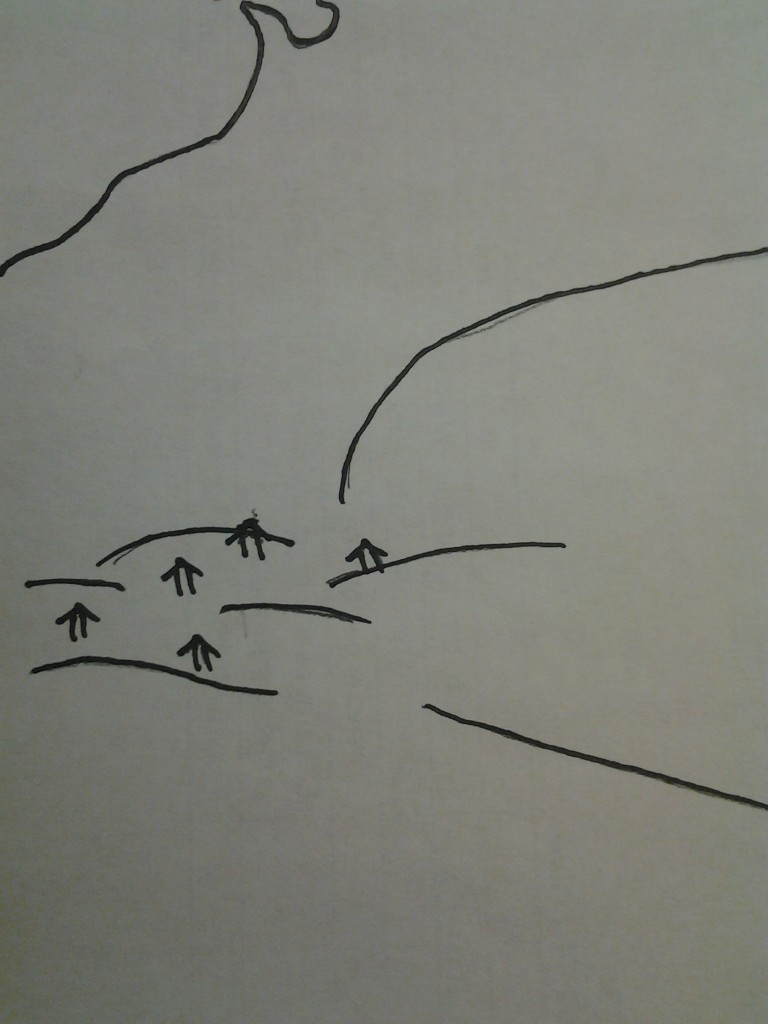 1. Home – Home is comfortable. In the LOTR series, home is the Shire. It represents quiet, comfort, and safety. Our students enter our classes each year with a home mindset. They’re comfortable in what they know. As the teacher, we have to coax them out of their own comfort zone and into something unknown. From here, students are relying on our wisdom and leadership for the path.
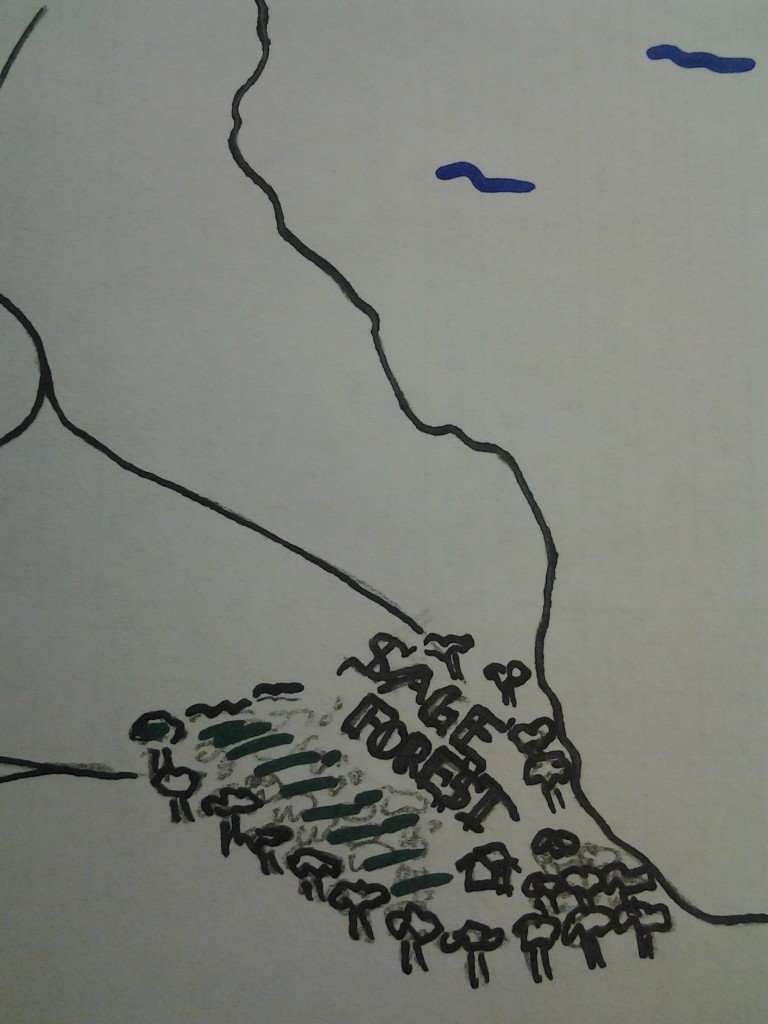 2. Sage Forest – It’s easy to jump on stage and being spewing everything we know. We don’t have to answer to anyone, and our pupils dutifully follow along. We have total control and our word is taken as truth. Unfortunately, this limits the exposure our students get to the larger world, save for the window that we provide. It is isolated, and while our kids can learn, it often isn’t meaningful. Think Yoda on Dagobah. Luke could do a lot of fancy tricks when he was alone, but Darth Vader handed it* to him when he tried to put his learning into practice.
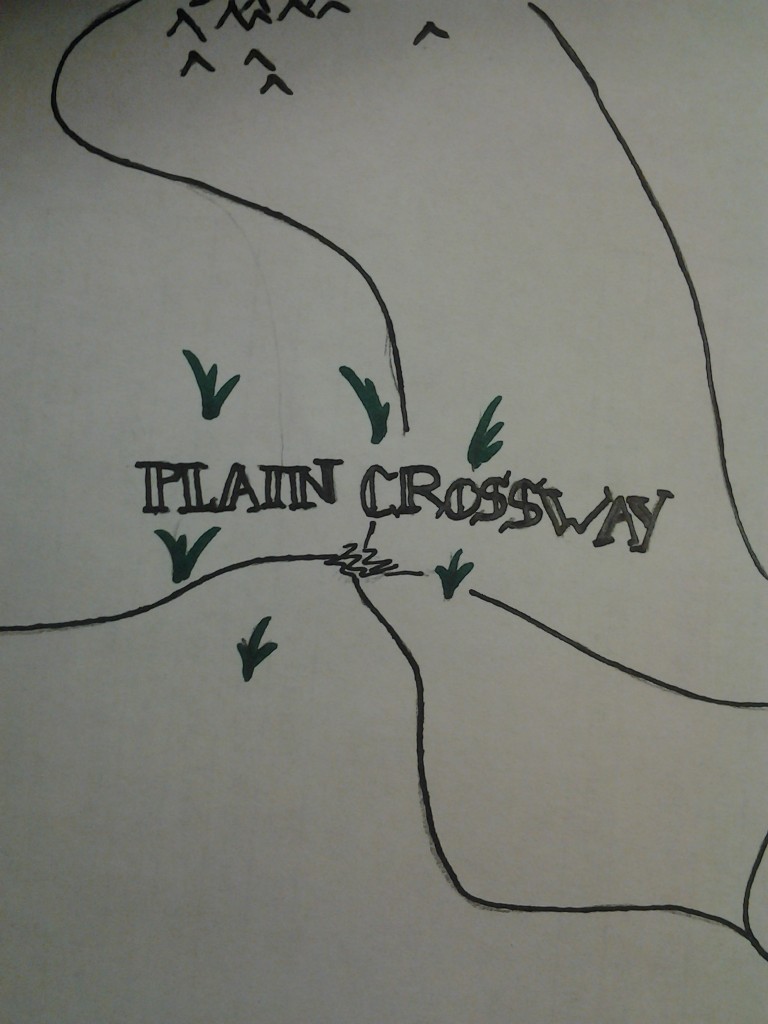 3. Plain Crossway – This region isn’t uneventful, but it isn’t terribly exciting, either. The travellers and the the leader can discuss the appropriate path, but ultimately, it doesn’t matter which direction you go. This can be a good thing, but oftentimes leaves the traveller feeling unsatisfied. In other words, the teacher isn’t acting as a sage, but isn’t really providing enrichment or growth on the basics. Instead, they’re focusing on making it alive to the other side rather than building a new trail together.
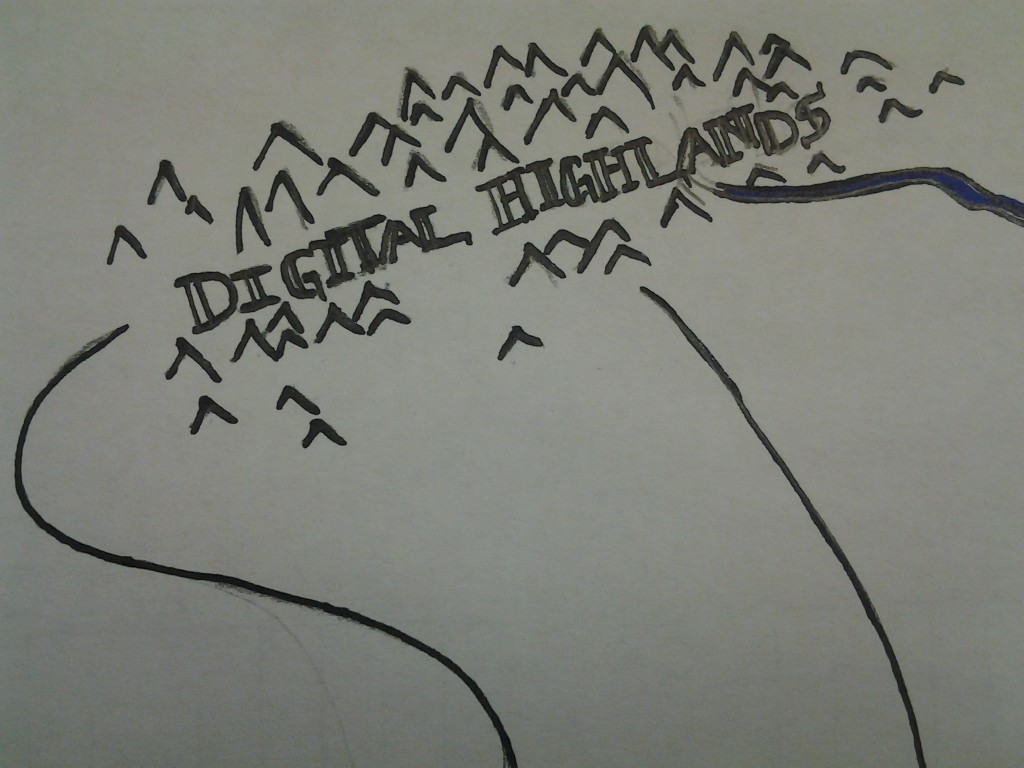 4. Digital Highlands – Navigating the peaks and valleys of the digital learning space takes a person who is confident, wise, and willing to take risks when they can’t see around the next corner. Digital learning is an important piece of the learning space, but it cannot be the only learning space for our students. We have to allow for forays, but we can’t get sucked into the bottom of the digital sphere, never to emerge again.
- The Great Beyond – The goal…the unknown…the unknowable. Hopefully, as we move from region to region in school, our students learn valuable skills that will help them move beyond school and into “real life.” Ultimately, we cannot stop our students from getting to this point, but we can equip them to better deal with it when we get there.

One space isn’t more meaningful than another. The meaning in each space comes in how they’re combined with the other; the journey isn’t defined by one stop along the way, it’s the trip as a whole that brings meaning. I know we all love Twitter and apps, but let’s try to remember that we have to vary our focus and settings to have a good story to tell.
*I know the pun is terrible, but I couldn’t resist.
If you’re on the Internet frequently, you may have noticed a new phenomenon spreading across the tubes called the Harlem Shake. If you haven’t, well, you’re in for a treat. Take a look.
Crazy.
I can’t resist this kind of thing. So, I want to put together the first Internet Dance Party (from what I can tell, at least). It will take you 60 seconds of your time and the returns are enormous.
- Go to this YouTube video of the song. We only need the first 30 seconds.
- Record yourself on your webcam (or other recording device) doing something normal. Typing, reading, grading…whatever, for 15 seconds.
- When the beat drops at the 15 second mark, record yourself throwing down some sick dances moves. Costumes are encouraged.
- Save your video and upload it to this folder.
- Watch for the link with the finished video.
Thanks to Jeremy Macdonald for introducing me to the Harlem Shake.
Update 9:00 PM – I added a link to the docking procedure run earlier this morning.
If you teach science, get on Twitter or Facebook and follow NASA. Now.
I know a ton of science happens here on the ground, but what I love about NASA is that they’ve embraced the fact that science can be shared with social media. They have one of the best online presences by an organization I’ve ever seen. They have Twitter accounts for most of their major missions, including the Voyager spacecraft (which are still operating, if you didn’t know).
They livestream most of their satellite launches so anyone can watch.
Heck, this afternoon, I watched a Russian supply probe dock with the ISS live. That was quickly followed up by a tweet from a Canadian astronaut on the space station.
Progress 50 just docked to our Space Station! I was right at the hatch, it made a quick sliding scraping noise & then a solid thud. Success!
—Chris Hadfield (@Cmdr_Hadfield) February 11, 2013
Long story short, NASA is making science real for an audience that will (most likely) never get the chance to experience the work they do first-hand. I share it with my students. Maybe, one of them will see what science is all about and be inspired to begin a science career.
I want to go to space now.
NASA media of note
Voyager 1 – Twitter
Voyager 2 – Twitter
ISS Research – Twitter
Commander Hadfield, Canadian astronaut currently on six-month ISS mission. – Twitter
Curiosity Rover – Twitter
NASA TV – Archived footage of launches, ISS events, briefings, press conferences, etc. Also, includes links to NASA UStream page.
NASA YouTube Channel
I originally wrote this for the INDOE 28 Days of Learning blog as part of Digital Learning Month. This is a cross post of that article. I removed the byline inserted by the INDOE and the bio at the end.
***
What does your typical class period look like? If you’re like me, you have between 20 and 30 (or more) students that are all vying for your attention so you can meet their needs. There’s nothing wrong with that…in fact, you’re at your best when you’re working one-on-one.
But, in reality, how much one-on-one time do you get with kids? Probably much less than you would prefer. We’re often relegated to the front of the room, at the whiteboard or projector, speaking to a large (mostly captive) audience. Then, we get some time to practice as a group before the class period is over.
This is not effective.
I want to propose a simple solution to help mitigate the lost time in whole-group instruction: record a lesson. Or, record multiple lessons. Record something that can be moved out of the public space (class) to the private space (on-demand), wherever and whenever that may be.
Now, some of you may be thinking that this is far too hard to do on a regular basis, and I’m here to politely disagree. Screen capture technology has improved dramatically in recent years and it is easier to get started now than it ever has before.
Entry Level
 Screenr.com – Screenr is a website that will record your screen for free. You can log in using Google, Twitter, Facebook, or Yahoo! account in order to save and share your recording. Screenr will record your screen for 5 minutes at a time (more on that in a minute) and then host them on the site, which is great if you can’t access YouTube.
 Jing – Jing is a free download that runs on your computer. It also records five minutes at a time and hosts the videos in a linked account to a site called Screencast.com. The videos can be shared and even password protected on Screencast, and again, the hosting serves as a place to go if YouTube isn’t an option.
Advanced
 There are different ways to advance your recordings. Essentially, these are videos that have edited portions to enhance the content sharing. Imagine taking a video of your computer screen with Jing or Screenr, and then running it through iMovie or Windows Movie Maker, which is, in fact, one way to accomplish the goal.
The program I would recommend for more advanced recording and editing is called Camtasia. It is created by the same company that makes Jing and they offer education pricing. If you feel comfortable with video editing, this may be something you look into as you research screen capture.
How Do I Use This?
So, should you record absolutely everything and just put it online for kids to access? Absolutely not. Should the use of these videos be relegated to home? Absolutely not. Content is available 24/7, and we need to begin allowing access to content wherever and whenever students are ready to use it.
There are some lessons that lend themselves to recording, others that are terribly ineffective if recorded. My general rule of thumb: if it is rote, procedural, algorithmic, or lower-level information, it might be a good recording. This would be something like how to log into a Google Apps account for your class. It could also be how to perform a chemical conversion or how to spot an adverb in writing. The video is to help offset some of the initial (or remedial) skill-building that comes with learning new content. Even then, a topic you may think would make a good video could bomb with students…and that’s okay.
Think of using video in your instruction like a chef prepares a meal…it cannot be just salt, but it also cannot be the main course. It has to be used intentionally to solve a particular problem. For me, recording lesson segments allows me the time and opportunity to move throughout the room and focus on higher-order problem solving and learning with students…together.
Let’s go back to our opening question: What does a typical class period look like for you? Here’s mine:
- I speak with every student, every day.
- I know my student’s individual strengths and weaknesses.
- I celebrate breakthroughs and victories after working through a tough problem.
- I guide and prompt students out of misconceptions and frustration.
- I teach.
The Challenge
Take the one question that bugs you the most, record an answer, and post it online as a resource. When a student asks you that question, point them to the resource. This does not have to be a lesson…it can be something simple like how to add a file to a folder in Google Drive. Free up some of your valuable class time by moving some lower-level tasks from the public space (class) to the private space (on-demand). Post a link to your video once it’s created and share your learning.
There are some websites that I visit frequently. My class website, a few news outlets, and some blogs that help me wake up in the morning (or afternoon). I also hate the bookmark bar. I think it’s ugly and I usually have it hidden in my Chrome browser. Now, it does appear on my “New Tab” page, but I’d rather get rid of it entirely.
I came across an article that showed me how to take any website and put a link on the Chrome “App” page. This is different than the “Most Visited” section, which makes it helpful if it isn’t used enough to make that list.
The process is very simple:
- Open up the page you want to save as well as a new tab (click the images to enlarge).
- Click on the page favicon – the little icon that appears to the left of the URL in the address bar. Sometimes it is an icon, other times it is a blank page.
- Drag the favicon to the New Tab and drop. It will create a link in your Apps page.
So, why do this rather than use bookmarks? Simple answer: speed. Many times, I want to get to a particular site. Rather than clicking through multiple levels of bookmarks (if they’re nested) or scanning the bar, I know what sites are on my apps page. This could be especially useful for teachers in Chromebook environments.
Any other Chrome tips for usability and improved workflow? Leave some thoughts in the comments.
Liza Basden is a chemistry teacher in Illinois that I connected with earlier this year. Periodically, we’ll share resources with one another for labs or other activities that we run in our classes. Last week, I was browsing for a lab to run with students on the different types of chemical reactions when Liza sent me some awesome pictures from her own class:
@bennettscience Inspired by your How Big is a Mol activity to find more ways for my Ss to express their creativity pic.twitter.com/86J2ljP
—Liza Basden (@lbasden) February 1, 2013
` <https://twitter.com/LBasden/status/297358080230952960>`__
I really like the fact that she pulls in inquiry to get the students thinking about similarities and differences in the chemical equations before the students begin to categorize them as single replacement, double replacement, etc. It forces the students to make connections between various chemical equations that are really quite obvious when we sit down to compare. Plus, asking them to draw out a representation of the reaction pushes critical thinking and analysis of what they’re learning, which increases retention and understanding.
She was kind enough to share the prep materials and the student papers and has given me permission to share these materials with anyone that may want to use them in their class.
If you end up using this activity, we’d love to see some photos of your student’s work shared either here in the comments or shared Twitter.
All photos in this post are from Liza Basden, used with permission.
One of my new favorite stops in my morning reading is the Fast Company series. I subscribe to the Design blog, but I also browse the Create and Exist blogs as well. I came across a post on the Exist series on a new initiative by the city of Bristol in England. Citizens can text codes on inanimate objects in throughout the city and have conversations. The point is to have fun in the city. The point is to interact with our surroundings. Are you a ghost? Photo is mine Nooooo! Photo is mine.
I got to thinking about how we don’t interact enough with the spaces we have in schools. So, I began a small project. I created QR codes with simple text. Some are little quips such as this gem from Brett Clark:
@bennettscience Are you a ghost? How did you walk through me?
—Brett Clark (@Mr_Brett_Clark) February 1, 2013
Another awards a “Curiosity Badge” (totally made up and unofficial…for now) that students can retrieve just for being curious enough to stop and scan. The whole point of this is to be fun, and to get kids and staff to interact with their surroundings.
I chose to use Delivr to create the codes because they offer tracking and scan analytics. I haven’t received and data yet, even though I scanned a few myself just to make sure they worked properly, so I don’t know about reporting times to the account. Hopefully, I can gather some unofficial data about technology our students already have in the building as we continue to improve instructional tool use.
Hopefully, if this catches on a little bit, I’ll add some small quests and other achievements students can earn. I’m also planning on entering small challenges like, “Tell someone they matter to you,” in an effort to get people in the building communicating in positive ways with one another. I’m also hoping students begin to have “random acts of creativity” that help us grow together as a school.
Have you started something like this in your school? What suggestions do you have?
If I were to track the number of copies that are made in school each year, I think it would turn into a fantastic conversion problem for my students. How deep would we be able to fill a room with used copy paper? I’m sure we’d all have our eyes opened at the amount of material that goes through our classrooms each year.
Schools are also looking to go as paperless as they can in order to cut costs. While I don’t agree with the rationale for cutting paper, it is an important factor to consider when we think about the amount of waste we put into the environment. But, the infrastructure required to go completely paperless is often out of reach. There are some ways you can cut down on paper in your class, even if you can’t go completely paperless.
- Use your space – This year, I was introduced to the neon Expo white board marker, and they have changed my life. These markers write on top of the lab tables and wipe off easily with a damp paper towel. Kids can now do scratch work on the table, and then call me over to check their progress. Plus, kids always love being able to write on things we usually tell them not to write on. I have also seen teachers use regular white board markers on desks that have polyurethane veneers. (Be sure to test it yourself before handing out 30 markers, though).
http://instagram.com/p/UgolGlDk9D/ Neon dry erase, my photo.
- $2 interactive whiteboard – Frank Noschese wrote this post a couple of years ago, and I went out and did the same for my class last year. I think for my classroom, it cost me $35. And, Lowe’s or Home Depot will cut the boards for free. Double win.
- Track large handouts – I provide note packets for each unit my students go through. This is a lot of paper, considering each packet is 4-5 pages (double sided, of course) and 120 students looking for a copy with each new unit. So, I print them once, and then post the packet on Google Drive. The problem I had, is that students would often lose the packets, and then they would tell me that they never got one in the first place. In the moment, I would usually go print another one, which led to a lot of wasted paper. Now, I keep track of who receives a copy by having them sign their name on my grade sheet. It saves me extra copies, plus, now they can’t pull the wool over my eyes and they manage to keep track of their papers the first time around. Checkout signatures, my photo
- Class sets – This seems silly, but go back to making class sets of materials. I do this with quizzes, and I ask students to either do the question on the desk or on scrap paper. Which leads me to…
- Keep scrap paper – I started keeping a scrap paper bin in order to reuse as much as I could. Oftentimes, a student would make one mistake and then throw their paper away. Now, it gets trimmed and thrown into the scrap bin. Now, rather than using notebook paper to complete an assignment or exit slip, students grab some scrap and we can reuse perfectly good white space. Scrap box, my photo.
- Post it on the Internet – This one seems to counter the title, but ask yourself, “Do my students really need a hard copy of these questions?” Often, I say no. Now, with that being said, I definitely recognize the benefit of having something right in front of you. But, find ways to create prompts or questions that can be put online as a Google Doc and then answered in writing on scrap, in their notes, or even on the table. It’s easy to throw up on the projector if you don’t have computers available, and it’s there for homework if you run out of class time.
These are just a few simple suggestions. Any others are welcome in the comments.
 I think we really need to redefine what it means to interact with something. Part of the problem is that our schools (and even our culture) have developed into things that want to consume. Our students come, and they want to just get the answer to move on. Teachers have even developed into people that give the answers so they can move on. There is no meaningful interaction.
Learning is interactive. We need to talk, digest, challenge, and question new ideas or tools. It takes two-way communication. It takes hard conversations and furrowed brows.
So, can we create truly interactive content? I think there are some ways to begin to build a bridge to cross the gap, but I’m not totally convinced that even come of the best iBooks out there can do that yet. They’re still built for students to consume. We need to move beyond clicking play on a video as our interactive portion.
How have you seen students interact with content, digital or analog? What are some versions of things titled interactive, but are really meant for consumption only? How do we bridge the gap?
I’d love some thoughts in the comments.
Photo Credit: incurable_hippie via Compfight cc
I’ve been following Dan Meyer for about 15 months. I don’t teach math, but the way he talks about teaching math makes me want to teach it. If you’re not familiar with his writing and development of Three Act Math, you should read the linked post and go check out his site dedicated to free materials.
Recently, he’s moved into developing web-based “textbooks,” if they can even be called that. Essentially, he’s taking intuitive knowledge of math (draw a square) and then directing the user through the process of either confirming their previous understanding or correcting their misconceptions. What really caught my attention was this activity on squares. Stop reading now, check it out.
Dan teamed up with a teacher/programmer named Dave Major (who also wrote a post about the squares activity). I really began to think about how this could be done in science.
Flipped Learning is all over the web. I use it, my friends use it, and we’ve all seen some amazing things happen in our classes. Honestly, I think video is reaching a point where it can help move us into meaningful digital learning spaces, but it isn’t enough. We all know that.
I’ve been thinking a lot about how to move content into adaptive digital environments, much like the Better Best Squares activity. PhET simulations by UC Boulder are a good first step, but there is still a disconnect between the task (usually paper based) and how the student interacts with the program.
I’m wondering how we can begin to make responsive programs like the squares example for science. One thought, initially, is that simulation parameters could be set by a student, much like the square they draw. Every following step would be A) integrated with the class responses, and B) based on the initial setup.
How else could we do this in science? Are there any programmers that would be interested in trying to build some kind of pilot program? Any teachers that would be interested in writing curriculum for this project? Let me know in the comments.
This spring, I’m asking my homeroom students to perform some type of service project. The type of project is up to them, but I’ve encouraged them to think as locally as they can. Whether that’s the school or the neighborhood they live in doesn’t matter to me.
I have a couple that already have ideas to build off of, but I’d love to see some other types of projects that were successful. If you have some examples (or know people with examples), I’d appreciate your feedback on the form embedded below.