On this day...
Original link: Scientists discover the nutrient bees were missing
Honeybees rely on pollen as their main food source. It contains essential lipids called sterols that are critical for growth and development.
But climate change and intensive farming have reduced the variety of flowers bees depend on. As a result, bees are increasingly missing key nutrients.
Articles that share "breakthrough" science that needed to happen because we're destroying the environment always get under my skin a little.
The Markup had a post this month looking at educators' use of AI tools. I took some time to read it this week, first on my phone and then printed out so I could mark it up and think through the material more carefully. I'm still working out my own feelings on large-language model (LLM) AI and I wanted to be sure to read and digest this before reflecting on it.
Edtech Influence
Edtech is a weird space. It's full of influencers and personalities wanting to be "a name." The influencer sphere is courted by big tech to try and create authenticity for what they're building. I have a really hard time staying neutral when reading these kinds of articles becuase those are the people you tend to see interviewed. The influencer vibe came out with a couple in particular (one even self-identified as an influencer) and I think it is important to note this perspective because they're the ones who are most heard when it comes to setting the baseline for tool use in education.
The low-hanging fruit is usually time. "AI will save you time!" is like a teacher dog whistle. Our time is pulled and, if only we had more, we could do all the things. AI is a tempting way to make up for time, but to me, it's the worst way to consider these tools.
[He] plugs the topic into MagicSchool AI, along with his estimation of how much class time that teacher has to teach the particular subject, and lets the AI generate a set of lesson plans. "When a teacher sees how fast the AI works, they immediately sign up."
Part of the work of teaching is to make sure lessons are cohesive, aligned to skill development, and appropriate for the students in the room. If teachers are encouraged to just type a tomic and timeframe into an AI, they have effectively removed themselves from the most critical part of the job. There is no thought into the progression of skill development, the connections to other ideas, or the scaffolding that has to happen to help students build understanding. At the other end of the spectrum, another early (and dangerous) recommendation for teachers to try AI is to allow it to grade student writing. Giving feedback on a student's demonstration of understanding is the highest calling and we shouldn't look for usefulness over meaning.
It's flashy and impressive, but it's also dangerous when it isn't paired with evaluation and introspection.
Aside from generating lesson plans, there's this undercurrent in education that everything a teacher needs to use should be free.
Kids just deserve the best education they can get, and if that means borrowing lesson plans from a bot, I'll take it. If we're just teaching lessons, it doesn't really matter where we got it from.
Deep breaths.
Wanting to give students a good education is not license to use tools poorly or to condone the theft of materials. Large language models are already in hot water becuase they incorporated copyrighted material and tried the legal excuse of, "oops?" Sorry in the name of progress!
Children deserve a fair, equitable, and high quality education. That does not mean teachers should use AI to write machine-developed, untested, under developed, and low quality lesson plans to save time. How we act and how we justify our actions matter just as much as how students act.
Besides, if it's just a paper, why does it matter where they get it from?
Brainstorm and Inform
Others are more nuanced in their approach to AI. Another interviewee, Kim Maybin in Alabama, mentioned using ChatGPT to develop multiple versions of the same prompt for differentiation and validity of assessment:
...she often found herself creating additional structure or "sentence starters" to help her struggling students...
This is paralleled by the desire to use tools to find patterns in data or to "rubber duck" patterns and data. This is more closely aligned to how Simon Willison advocates making LLMs work for you that I'm slowly coming around to using more.
In the last two weeks, I used ChatGPT to generate three or four questions on a particular learning standard. It was late and I just didn't have the brain power to write the quiz questions on my own. But I knew what specific skill I wanted to assess, so I was able to write a prompt which generated a couple good starters. They were not scenarios I had used before, so they were novel to the students, but directly aligned to the content.
And that's the difference between using an AI tool to do the work vs using an AI tool to refine the work. The corpus of information has patterns which match well-known topics in the sciences (good for me). I can reliably get some starting points and then move on from there. The difference between this and other wholesale approaches to AI in education is that the human (me) is more heavily involved in the process rather than less. I don't know if I saved a major amount of time starting with a brainstorm, but it got my mind running by priming the idea.
And maybe that's a better metaphor. Using an LLM to prime the thinking process can reduce some of the cognitive load of starting cold. I'm stil working through my own apprehensions of using AI, including the larger impact of the resources it takes to produce them at all. I hope that, at least in education, the narrative starts to move away from the "magic" of the tool and picks up more nuance of the implications and ramifications of AI.
Community is still heavy on my mind this week.
It's easy to argue for authentic learning experiences. We want students to relate learning to the "real world." Ignoring, for a moment, that students already live in the real world, the sentiment is valid - students should have knowledge that will be relevant when they leave the classroom. We're all well-meaning when we dive into Project/Problem Based Learning (PBL), Challenge-based Learning (CBL), or any of the other X-based learning options that have become more popular. The goal for each is the same: students experience the content as part of the learning rather than receiving.
I've struggled for years to consider PBL as authentic and I think it is because those experiences are still missing the context critical for situated learning to take place. Students are still experiencing the material through the lens of schooling. We're prompting our students toward an end goal which isn't always connected to the domain experience and that's why some of those activities still feel so much like school. It's also telling that students typically struggle to apply ideas to novel situations. The experince is full of the school flavor, so it still feels like school.
So, how do we join communities of practice? Being immersed is critical - as a learner, we need to pick up and use the norms, language, and culture of the community as we interact. Only then, when the learning is immersed in the culture, can it be authentic. In my personal experience, this happens naturally when we’re interested in something. We start researching, looking for examples, or imitating someone around us. Our language changes naturally as we try to fit into the culture of that activity or skill. School, on the other hand, generally tries to give the experience without the culture. The experience is sanitized so we can focus on the content, and that's a mistake.
Technology is a major aid in joining communities of practice by closing distance gaps, giving us access to information about what we’re trying to learn, and connecting us to individuals already immersed in those cultures. Personally, it has helped me learn to use watercolor paints for creative work. I’ve joined Reddit boards, watched YouTube videos, and shared snapshots of my work on social media. Using technology, I’ve been able to receive feedback from people in the art world that I wouldn’t have connected with otherwise, which has helped me focus on areas of improvement that I wouldn’t have otherwise considered.
Professionally, if community and culture is the missing component in schooling, I’m thinking through how I can help teachers make those connections in the planning phase. We cannot be experts in every domain, but some low-barrier things to try could be:
- Arranging video calls with local professionals to speak with students about a topic they’re exploring
- Approach teachers to explore redesigning some lessons to be more open-ended
- Work with staff on methods to take advantage of distributed cognition (ie, every person in the group contributes to the group intelligence) instead of relying on individual results
This is a bigger shift than simply "doing" PBL or being a PBL school. This is recognizing that school culture still focuses on school when that is precisely what we need less of.
If you’re working in instructional support (#edtech, instructional tech, learning support…whatever you want to call it) you’ve probably heard, “Today’s students just learn differently.”
No they don’t.
Writers will write. Storytellers will tell stories. Musicians will make music. Athletes will compete.
People have drives to be creative, curious, playful, impactful, relevant…
What’s different is the fact that school rams them through a system which actively works to standardize as much of the process as possible. We’ve built a system which prevents students from using the outlets available to show off their learning. By default, the system eliminates creative, playful, impactful work.
Today’s students don’t learn differently.
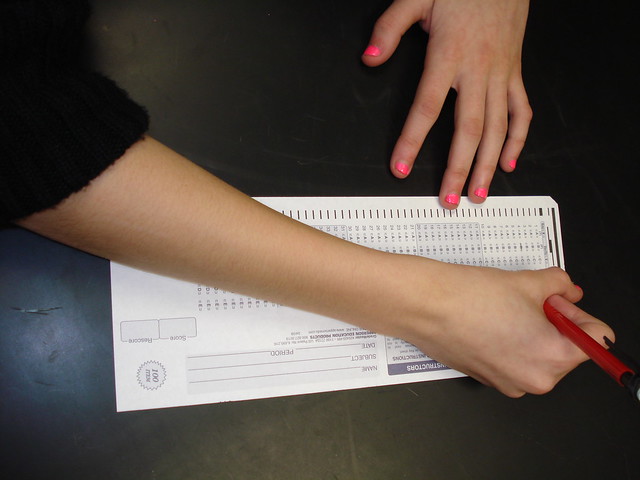
Standardized Test flickr photo by biologycorner shared under a Creative Commons (BY-NC) license
What I’m finding is that teachers, when shown methods and tools that give students opportunities to be creative, are surprised at how learning changes. As they struggle to characterize what’s happening, the easiest explanation is that today’s students are just “different.”
We fail to recognize that it doesn’t take a computer to allow students to engage. My job is to help teachers figure out how to get out of the way. The challenge is to make sure that teachers see instructional benefit in shifting practice with – or without – the technology in the classroom.
—
Featured image is Creative Playground flickr photo by Radoslav Minchev shared under a Creative Commons (BY) license
I came across a very interesting post this morning from Dr. Lee Skallerup Bessette at College Ready Writing entitled “What Ed Tech Can’t Do.” She compared Fahrenheit 451 to the influence technology is having in the classroom and in education in general. The part that struck me was about how “the [technology] movement in education as analogous to industrial farming.”
Of course, this caught my attention. As I begin to use more and more technology in my classes, I felt my nerves fire up and I was instantly on the defense as I continued to read. But, I was pleasantly surprised at how she took her thoughts and really made an extremely compelling case for the absolute necessity of a teacher in the class room.
From her post:
Next fall, I will be integrating a lot more technology in my classroom, in part because of forced standardization and accountability. But part of it is trying to make my class more effective. My job is to teach, but it is also to coach my students, particularly my developmental students. It’s to disrupt their worlds in order to encourage critical thinking or knowledge creation.
The part I want to focus in on is where she says it is her job to coach and disrupt their worlds. I love that she is stressing over the fact that it is still her job to teach.
It is so easy to fall into the technology trap…just throwing some hyperlinks on a page and telling students to “go.” That isn’t teaching…it’s laziness. The difference is when a teacher throws some hyperlinks on the page, asks students to go learn, but then brings them all back to create a working schema for learning. Technology is a tool…a very powerful tool that can create the illusion of active learning.
Don’t get so caught up in the technology that we forget to be present for class.